> ## Documentation Index
> Fetch the complete documentation index at: https://docs.open.cx/llms.txt
> Use this file to discover all available pages before exploring further.
# Inbox
> The Inbox is a centralized place to view, manage, and take action on your customer support conversations across all your channels (email, chat, phone, etc.).
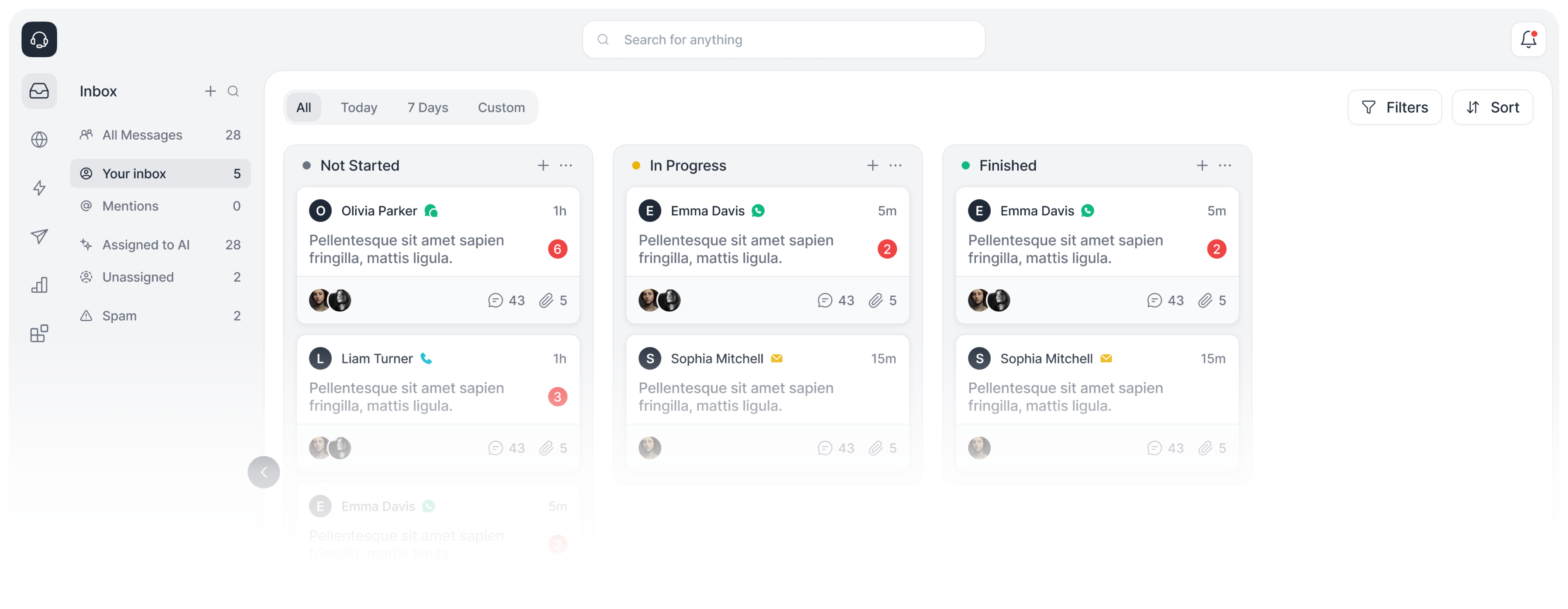 **(*Everything is in a single place, no matter what channel you are using—email, chat, phone,
etc.*)**
The Inbox is a centralized place to view, manage, and take action on your customer support conversations across all your channels (email, chat, phone, etc.).
* You will be able to see all your customer support conversations in one place.
* You can take action on your conversations from the Inbox (reply, change status, add notes, share, etc.).
**Types of Inboxes:**
* **Assigned to Me** - Any conversation you have with a customer assigned to you.
* **Assigned to Copilot** - Any conversation that is being handled by the AI.
* **Unassigned** - Any conversation that is not assigned to you or the AI.
* **Everything** - All conversations.
### FAQ
If you replied to a conversation that was assigned to the AI, it will be automatically assigned to you, so you should be able to find it in the Inbox -> Assigned to You section.
If you reply to a phone conversation using text, Open will send this text message to the customer's phone number.
## Available APIs
Open provides top-of-the-line APIs for developers to build on top of our platform, including inbox APIs.
List and manage support requests and conversations from web, phone, and email channels in a
single place.
**(*Everything is in a single place, no matter what channel you are using—email, chat, phone,
etc.*)**
The Inbox is a centralized place to view, manage, and take action on your customer support conversations across all your channels (email, chat, phone, etc.).
* You will be able to see all your customer support conversations in one place.
* You can take action on your conversations from the Inbox (reply, change status, add notes, share, etc.).
**Types of Inboxes:**
* **Assigned to Me** - Any conversation you have with a customer assigned to you.
* **Assigned to Copilot** - Any conversation that is being handled by the AI.
* **Unassigned** - Any conversation that is not assigned to you or the AI.
* **Everything** - All conversations.
### FAQ
If you replied to a conversation that was assigned to the AI, it will be automatically assigned to you, so you should be able to find it in the Inbox -> Assigned to You section.
If you reply to a phone conversation using text, Open will send this text message to the customer's phone number.
## Available APIs
Open provides top-of-the-line APIs for developers to build on top of our platform, including inbox APIs.
List and manage support requests and conversations from web, phone, and email channels in a
single place.