> ## Documentation Index
> Fetch the complete documentation index at: https://docs.open.cx/llms.txt
> Use this file to discover all available pages before exploring further.
# Partner Analytics
> Report across every customer org connected to your partner account — ask Companion for a cross-org dashboard, or query the partner-scoped analytics views directly.
Partner Analytics lets the **partner admin org** report across every customer org connected to the partner account — volume, automation rate, CSAT, handoff reasons, SLA — network-wide and per customer, and answer customer-health questions (who is inactive, who hasn't finished setup, who is new, which channels each customer uses) without opening each org one at a time.
It is available anywhere OpenCX analytics already run: **Companion** (ask a question or have it build a dashboard) and the **public API**.
## Who can use it
Only members of your **partner admin org** — the same org that has the [Partner Admin Console](/partners/admin-console) — with the reports permission. Every other org gets `403 Forbidden` from the partner analytics endpoints; a customer org can never read another customer's data.
The scope is exactly the console's *Connected Orgs* list: every org linked to your partner account that has not been deleted. A newly connected org appears on the next query; a removed one drops out.
## Ask Companion
Open Companion from your partner admin org and ask in plain language. Companion knows this org administers a partner and picks the right scope:
* "Which of our customers had the most sessions this month?"
* "What's the automation rate per connected org over the last 30 days?"
* "Which of our clients have the most handoffs, and why?"
* "Which customers are inactive, and who hasn't set up AI yet?"
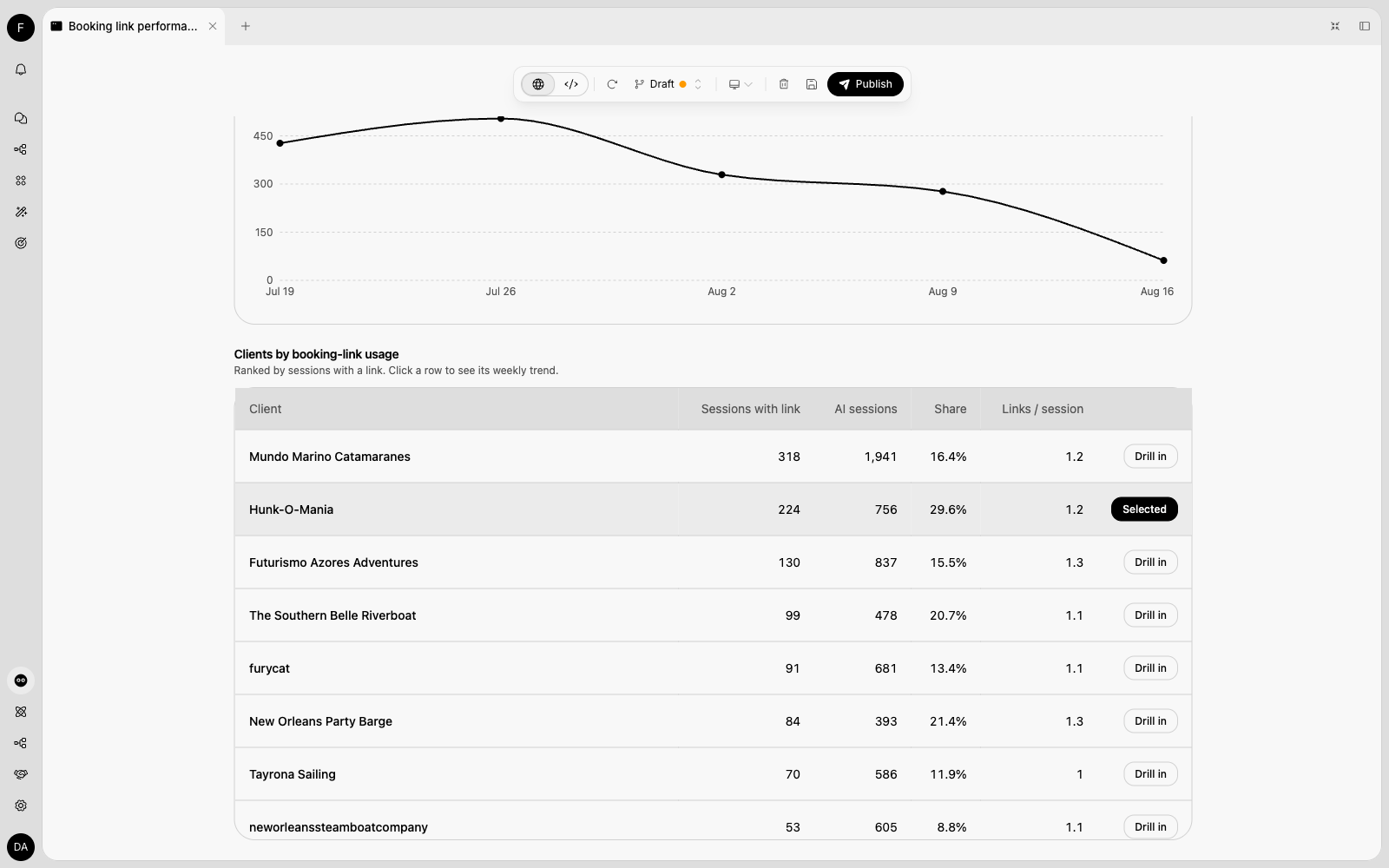
* "Which clients have the most booking links shared?"
* "What are the top contact reasons across the network?"
* "Tell me about Sea Rocket — how are they doing?"
* "Build me a dashboard of session volume, resolution rate and CSAT across all connected orgs, with a filter on our `rank-1` tag."
Answers name your orgs (never raw ids). Ask for a **dashboard** and Companion builds a Mini App you can reopen and share from **Apps** — the same Mini Apps used for org-scoped reporting, now over the partner network.
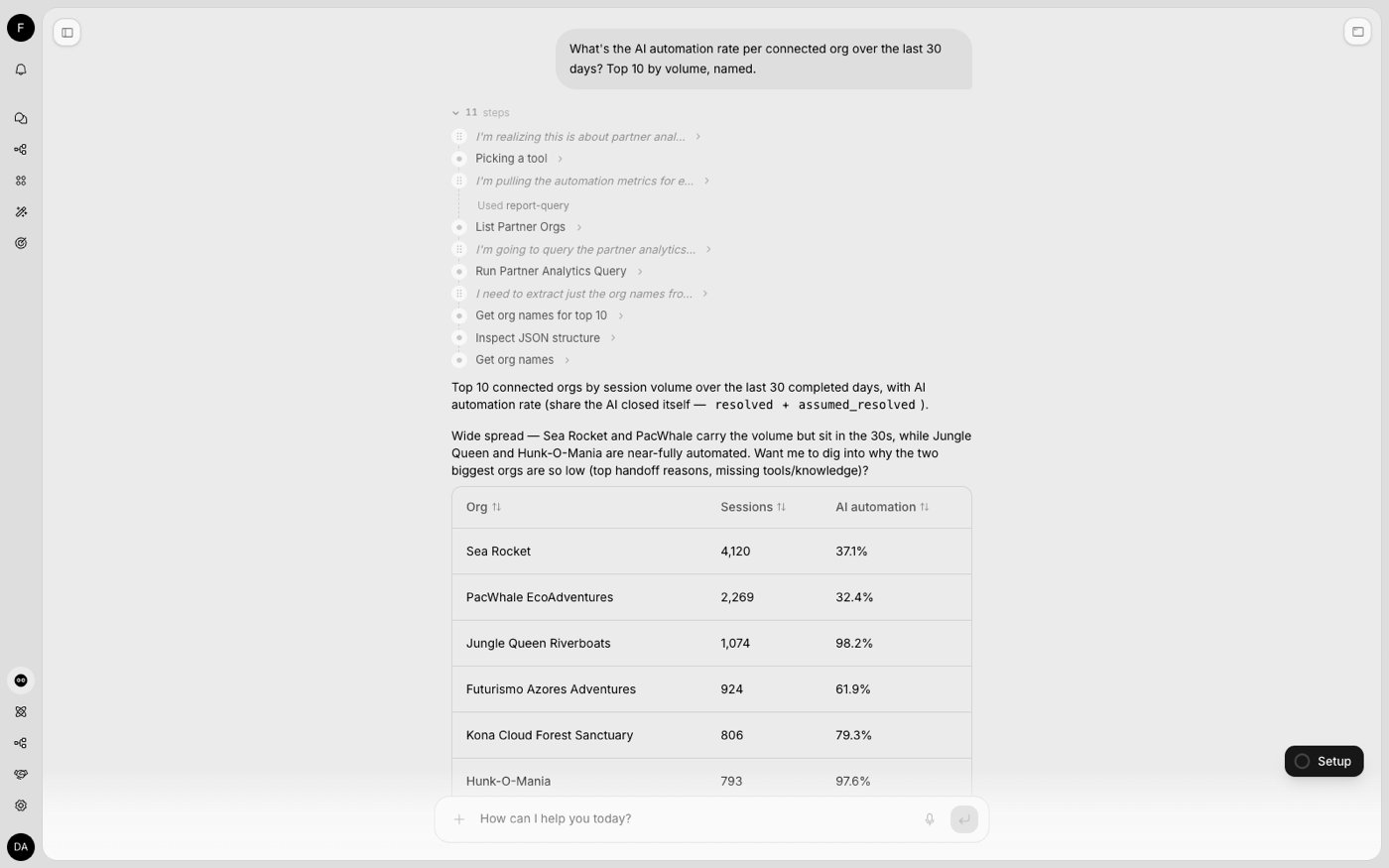
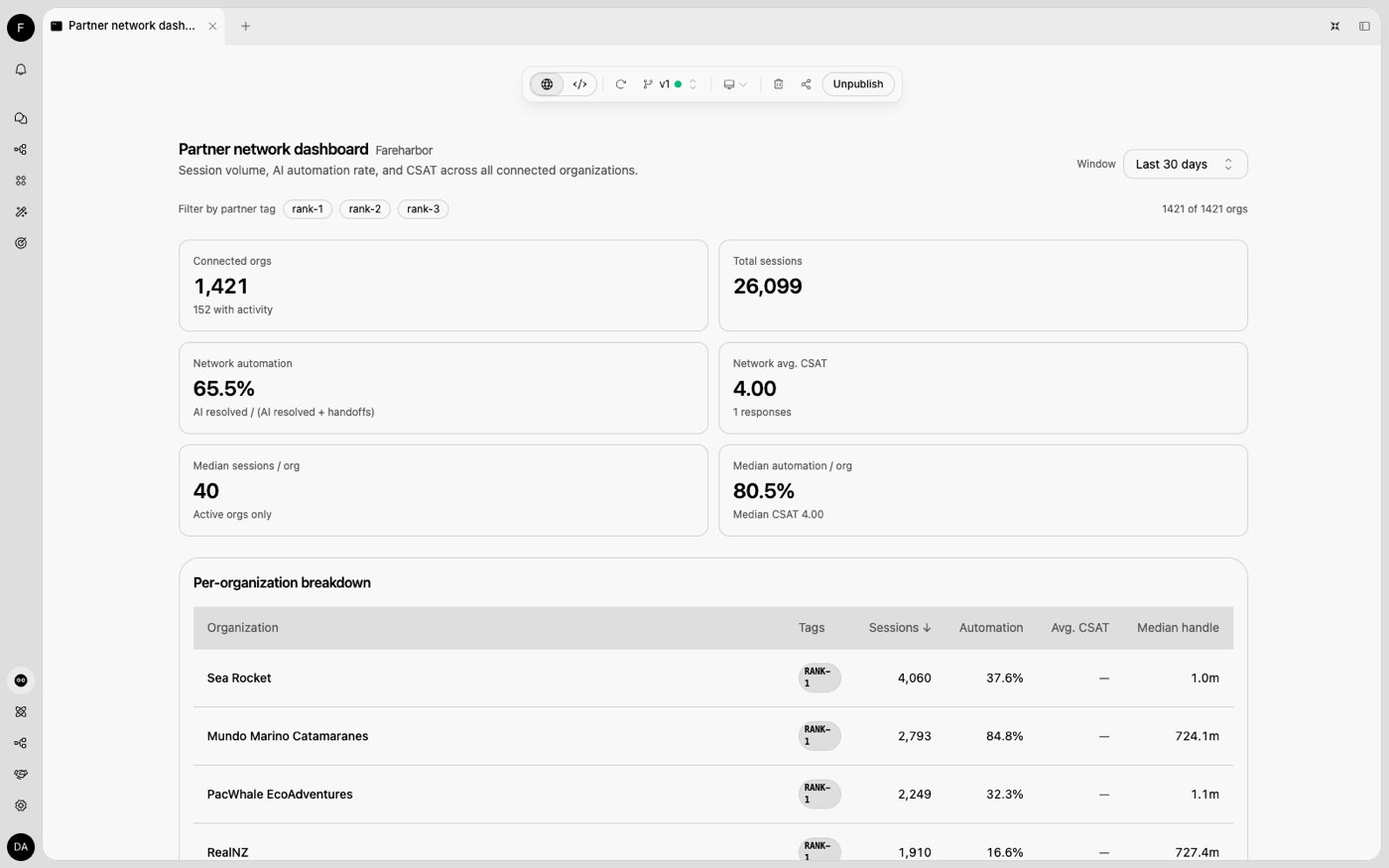
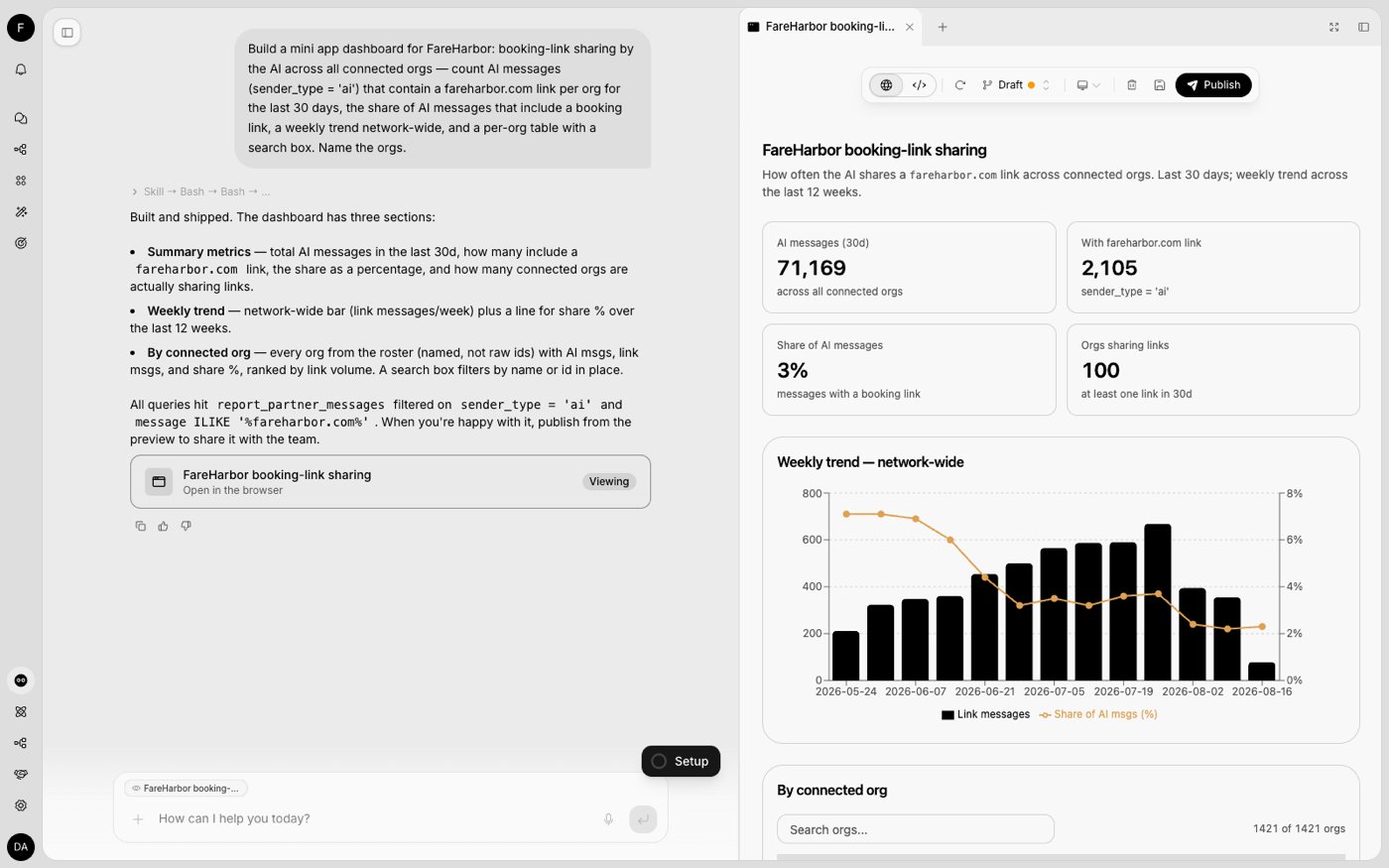
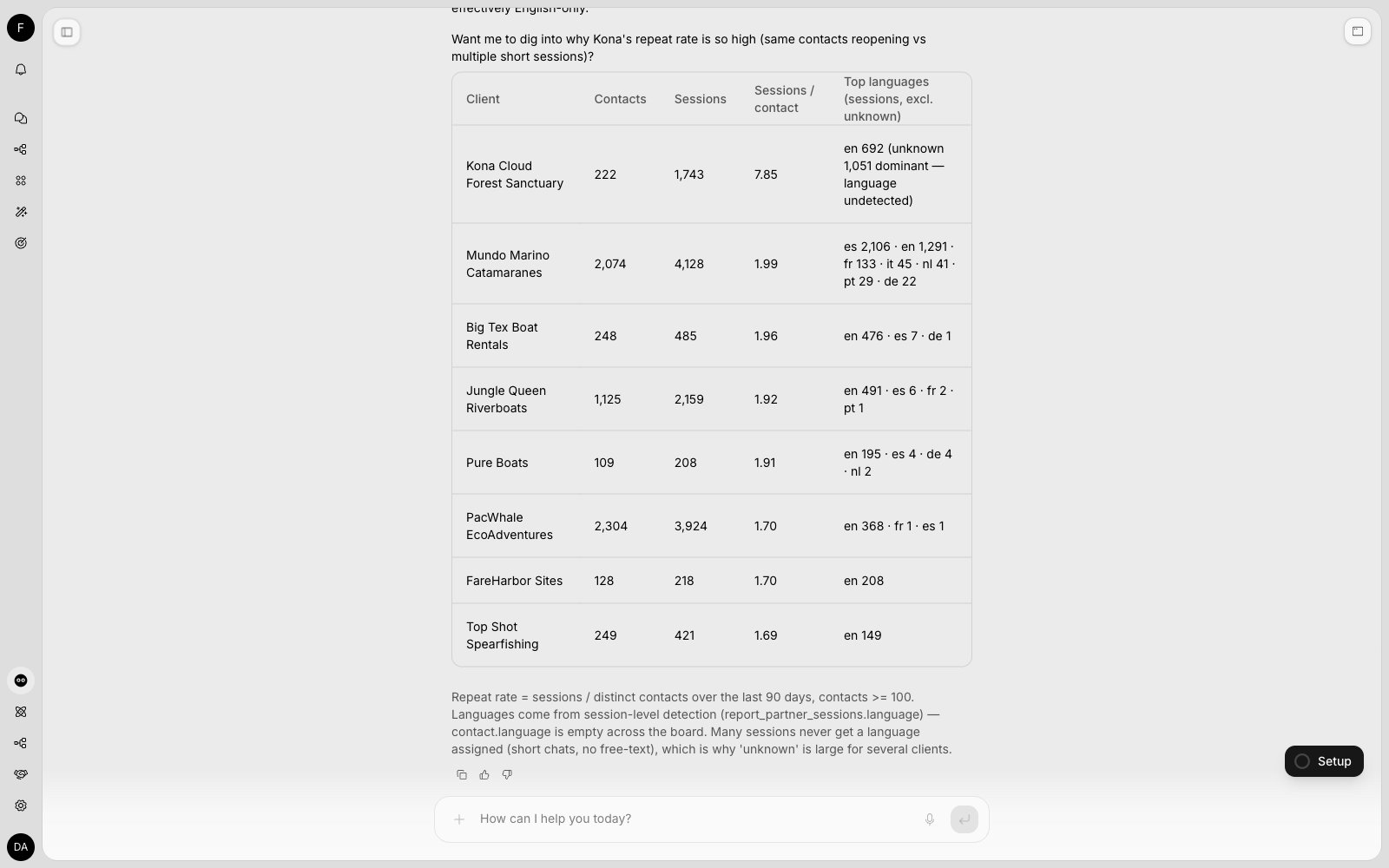
 Companion distinguishes "this org's own support desk" from "the partner network". If a question could mean either, it asks once rather than guessing.
## Public API
Three endpoints, authenticated with an **org-level API key of the partner admin org** holding the `reports:read` scope (not a Partner API key).
### List connected orgs
`GET /partner-analytics/orgs` — the roster and the org dimension for every partner query.
```json theme={"dark"}
{
"partner": { "id": "…", "name": "FareHarbor" },
"data": [
{ "id": "…", "name": "Alpha Boats", "external_id": "alpha", "tags": ["rank-1"], "created_at": "2026-05-01T00:00:00.000Z" }
],
"total": 1
}
```
`external_id` is the reference you supplied when provisioning the org; `tags` are your partner-private labels from the console.
### Search connected orgs with health signals
`GET /partner-analytics/orgs/search` — the customer directory the Partner Admin console shows, paginated (`limit` ≤ 100, `offset`; `total` is the filtered count). Filter with `q` (name or `external_id`), `status`, `tags`, `channels` (comma-separated — tags match any, channels match all), `has_ai` and `has_actions` (`true`/`false`); sort with `sort_by` (`created_at`, `name`, `members`, `data_sources`, `sessions_30d`, `total_sessions`, `last_session_at`) and `sort_dir`.
```json theme={"dark"}
{
"partner": { "id": "…", "name": "FareHarbor" },
"data": [
{
"id": "…", "name": "Alpha Boats", "external_id": "alpha", "website": null, "logo_url": null,
"created_at": "2026-05-01T00:00:00.000Z", "tags": ["rank-1"],
"health": {
"status": "healthy", "members": 3, "data_sources": 12, "has_ai_training": true, "has_actions": true,
"sessions_30d": 418, "total_sessions": 5120, "last_session_at": "2026-08-17T09:12:44.000Z"
},
"channels": { "chat": true, "email": true, "whatsapp": false, "voice": false }
}
],
"total": 1, "limit": 50, "offset": 0
}
```
`health.status` is `new` (connected less than 7 days ago, no sessions yet), `setup_incomplete` (no knowledge sources and no actions), `inactive` (no session in the last 30 days) or `healthy`.
### Run a partner-wide analytics query
`POST /partner-analytics/query` — a single read-only `SELECT` over the partner-scoped analytics views. Same request and response contract as the org-scoped `POST /reports/analytics`.
```json theme={"dark"}
{
"sql": "SELECT org_id, count() AS sessions, round(100.0 * countIf(ai_status IN ('resolved','assumed_resolved')) / nullIf(count(), 0), 1) AS ai_resolved_pct FROM report_partner_sessions WHERE created_at >= now() - INTERVAL 30 DAY GROUP BY org_id ORDER BY sessions DESC",
"parameters": []
}
```
The views are `report_partner_sessions`, `report_partner_messages`, `report_partner_session_metrics`, `report_partner_session_tags`, `report_partner_csat`, `report_partner_sla`, `report_partner_handoff_reason_categories`, `report_partner_handoff_reasons`, `report_partner_resource_usage`, `report_partner_contacts`, `report_partner_contact_reasons` and `report_partner_contact_reason_runs` — the same columns as the org `report_*` views, plus an **`org_id`** column. Join `org_id` to the roster above to name orgs. `report_partner_messages` includes the full message text, so link and keyword analysis ("booking links shared per customer") works network-wide, and the contact views cover your customers' end users and their contact reasons.
* Read-only, scoped server-side to your connected orgs; results are capped at 500 rows (`truncated: true` when more existed).
* The org `report_*` views are not reachable from this endpoint, and the `report_partner_*` views are not reachable from `/reports/analytics`.
## Related
The Connected Orgs list that defines the analytics scope.
Provisioning orgs, keys, and login links.
Companion distinguishes "this org's own support desk" from "the partner network". If a question could mean either, it asks once rather than guessing.
## Public API
Three endpoints, authenticated with an **org-level API key of the partner admin org** holding the `reports:read` scope (not a Partner API key).
### List connected orgs
`GET /partner-analytics/orgs` — the roster and the org dimension for every partner query.
```json theme={"dark"}
{
"partner": { "id": "…", "name": "FareHarbor" },
"data": [
{ "id": "…", "name": "Alpha Boats", "external_id": "alpha", "tags": ["rank-1"], "created_at": "2026-05-01T00:00:00.000Z" }
],
"total": 1
}
```
`external_id` is the reference you supplied when provisioning the org; `tags` are your partner-private labels from the console.
### Search connected orgs with health signals
`GET /partner-analytics/orgs/search` — the customer directory the Partner Admin console shows, paginated (`limit` ≤ 100, `offset`; `total` is the filtered count). Filter with `q` (name or `external_id`), `status`, `tags`, `channels` (comma-separated — tags match any, channels match all), `has_ai` and `has_actions` (`true`/`false`); sort with `sort_by` (`created_at`, `name`, `members`, `data_sources`, `sessions_30d`, `total_sessions`, `last_session_at`) and `sort_dir`.
```json theme={"dark"}
{
"partner": { "id": "…", "name": "FareHarbor" },
"data": [
{
"id": "…", "name": "Alpha Boats", "external_id": "alpha", "website": null, "logo_url": null,
"created_at": "2026-05-01T00:00:00.000Z", "tags": ["rank-1"],
"health": {
"status": "healthy", "members": 3, "data_sources": 12, "has_ai_training": true, "has_actions": true,
"sessions_30d": 418, "total_sessions": 5120, "last_session_at": "2026-08-17T09:12:44.000Z"
},
"channels": { "chat": true, "email": true, "whatsapp": false, "voice": false }
}
],
"total": 1, "limit": 50, "offset": 0
}
```
`health.status` is `new` (connected less than 7 days ago, no sessions yet), `setup_incomplete` (no knowledge sources and no actions), `inactive` (no session in the last 30 days) or `healthy`.
### Run a partner-wide analytics query
`POST /partner-analytics/query` — a single read-only `SELECT` over the partner-scoped analytics views. Same request and response contract as the org-scoped `POST /reports/analytics`.
```json theme={"dark"}
{
"sql": "SELECT org_id, count() AS sessions, round(100.0 * countIf(ai_status IN ('resolved','assumed_resolved')) / nullIf(count(), 0), 1) AS ai_resolved_pct FROM report_partner_sessions WHERE created_at >= now() - INTERVAL 30 DAY GROUP BY org_id ORDER BY sessions DESC",
"parameters": []
}
```
The views are `report_partner_sessions`, `report_partner_messages`, `report_partner_session_metrics`, `report_partner_session_tags`, `report_partner_csat`, `report_partner_sla`, `report_partner_handoff_reason_categories`, `report_partner_handoff_reasons`, `report_partner_resource_usage`, `report_partner_contacts`, `report_partner_contact_reasons` and `report_partner_contact_reason_runs` — the same columns as the org `report_*` views, plus an **`org_id`** column. Join `org_id` to the roster above to name orgs. `report_partner_messages` includes the full message text, so link and keyword analysis ("booking links shared per customer") works network-wide, and the contact views cover your customers' end users and their contact reasons.
* Read-only, scoped server-side to your connected orgs; results are capped at 500 rows (`truncated: true` when more existed).
* The org `report_*` views are not reachable from this endpoint, and the `report_partner_*` views are not reachable from `/reports/analytics`.
## Related
The Connected Orgs list that defines the analytics scope.
Provisioning orgs, keys, and login links.