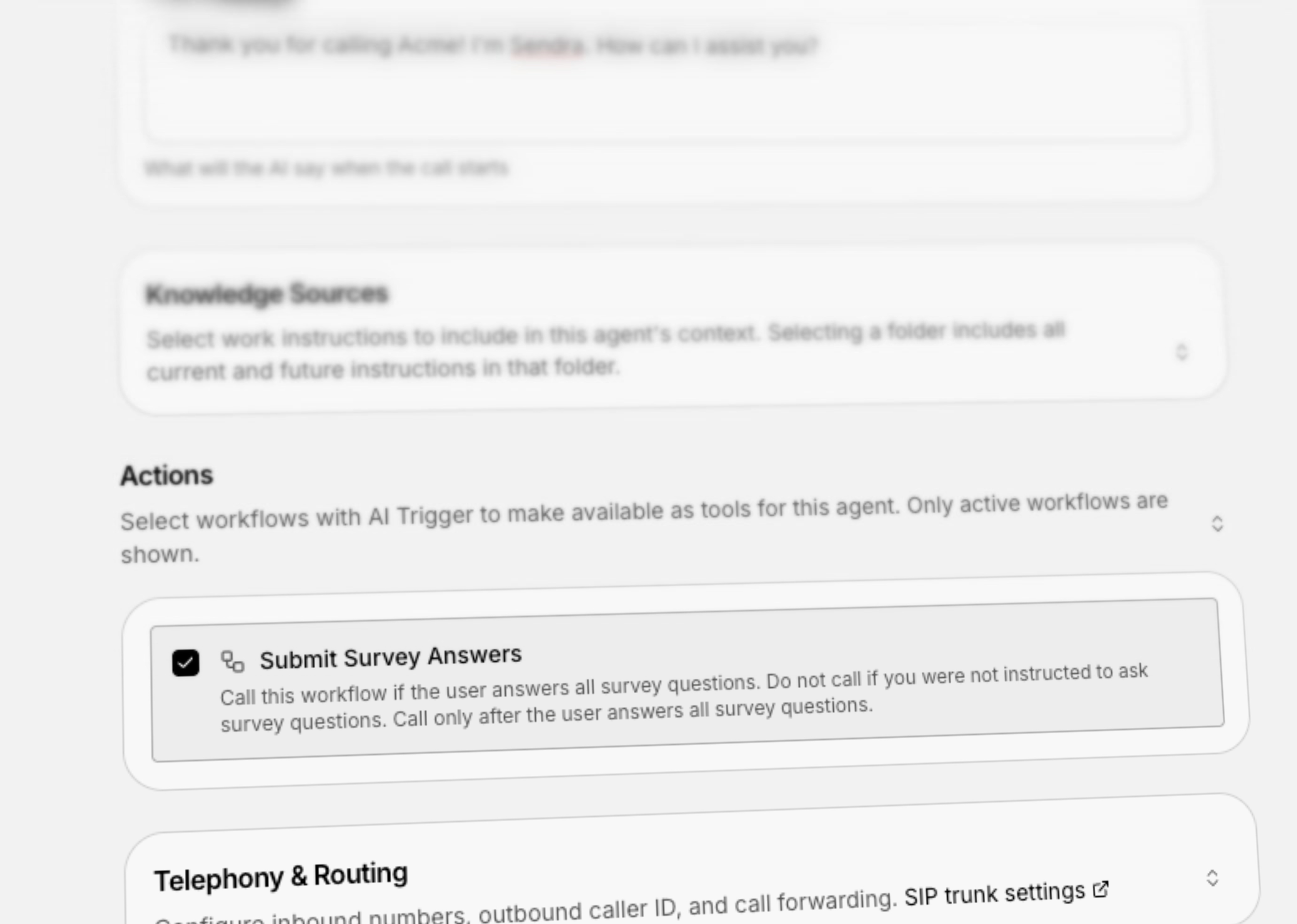
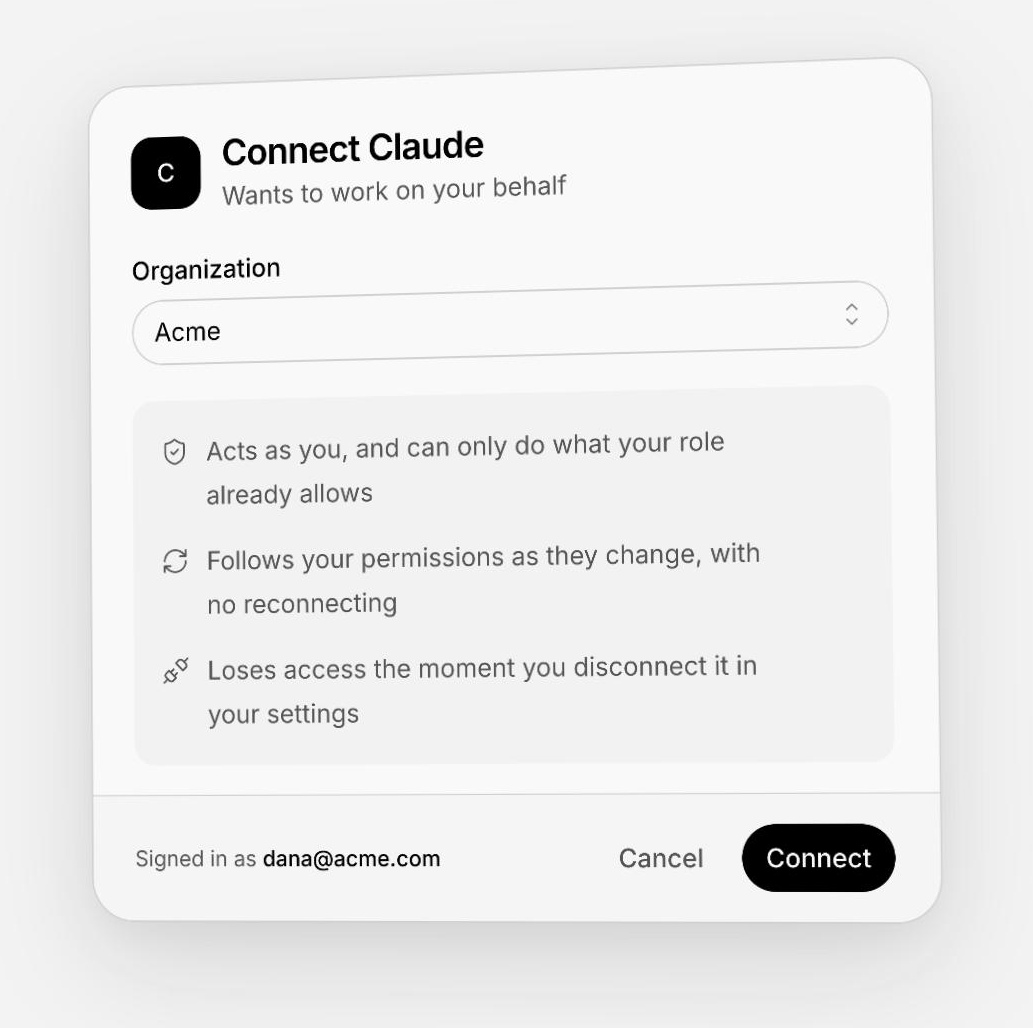
Connect an AI assistant with your sign-in, not an API key
Help Center: content rules retired
Content rules and the checks that ran on save and on publish are gone from the Help Center. Publishing is a plain confirmation again, and translations follow the glossary and your translation prompt.A faster way to write and organize your Help Center
The Help Center editor now saves as you type, keeps one shared draft per article and language, and shows where every article stands at a glance. Arrange topics by dragging, nest them, and undo a delete.Add teammates and phone numbers to a live call
A teammate on a phone call can now bring more people onto it. Ring a colleague or dial an external number straight into the call, see who is on the line, silence anyone in your own headset, and remove anyone you added. Everyone hears each other, and the call keeps going when someone leaves.Each customer’s tools, connected in your widget
Personal accounts, managed from Actions
Add a service once and let each signed-in customer connect their own account when a request needs it.- Choose personal accounts or one shared team account when adding a server
- Keep personal connections scoped to the signed-in customer and account, across their sessions
- Control which services and tools are enabled from the dashboard
Approvals your customers control
Connected services can ask for a form or a simple approval inside the widget. Customers can review the request before it continues.- Approve a simple request once, or remember approval for the same account, tool, inputs, and form
- Open Connections from the widget session list to review saved approvals or disconnect a personal account
- Remove one saved approval to ask again next time, while keeping the service connected
Reuse a connection in your backend
Opt in per service when your backend also needs access to a customer’s connected account.- Receive a connection-ready notification after successful authorization
- Retrieve the current access token through a separately scoped server-side API key; credentials stay out of the widget
Workflow, handoff, and session reliability fixes
A broad set of fixes makes sessions, workflows, integrations, reporting, and settings more dependable. Handoffs now preserve the right ownership, delayed AI replies respect newer activity, and common workflow and API failures recover cleanly.Pin your favorite reports and mini apps to the sidebar
Saved inbox views, without the dashboard
The views your agents pick from the inbox sidebar — “Phone — needs a human”, “Assigned to me today” — can now be created, updated and shared from the API. Ask Companion for one, or build it alongside the workflow that fills it, instead of rebuilding it by hand.Companion, right where you need it — now in Widget v5
Companion, inside your website
A small launcher opens into a floating workspace that stays beside the page your customer is using.- Switch between floating, sidebar and fullscreen layouts as the task grows
- Mark a region, draw a box, circle or arrow, add a note, and attach the marked screenshot to your message
- Share the current page and mention records from your app so the agent knows what you mean
- With streaming enabled for your organization, see answers as they arrive and stop a reply when you need to change direction
- Keep the classic popover if you prefer; Companion is a separate display option
A new home for Web chat settings
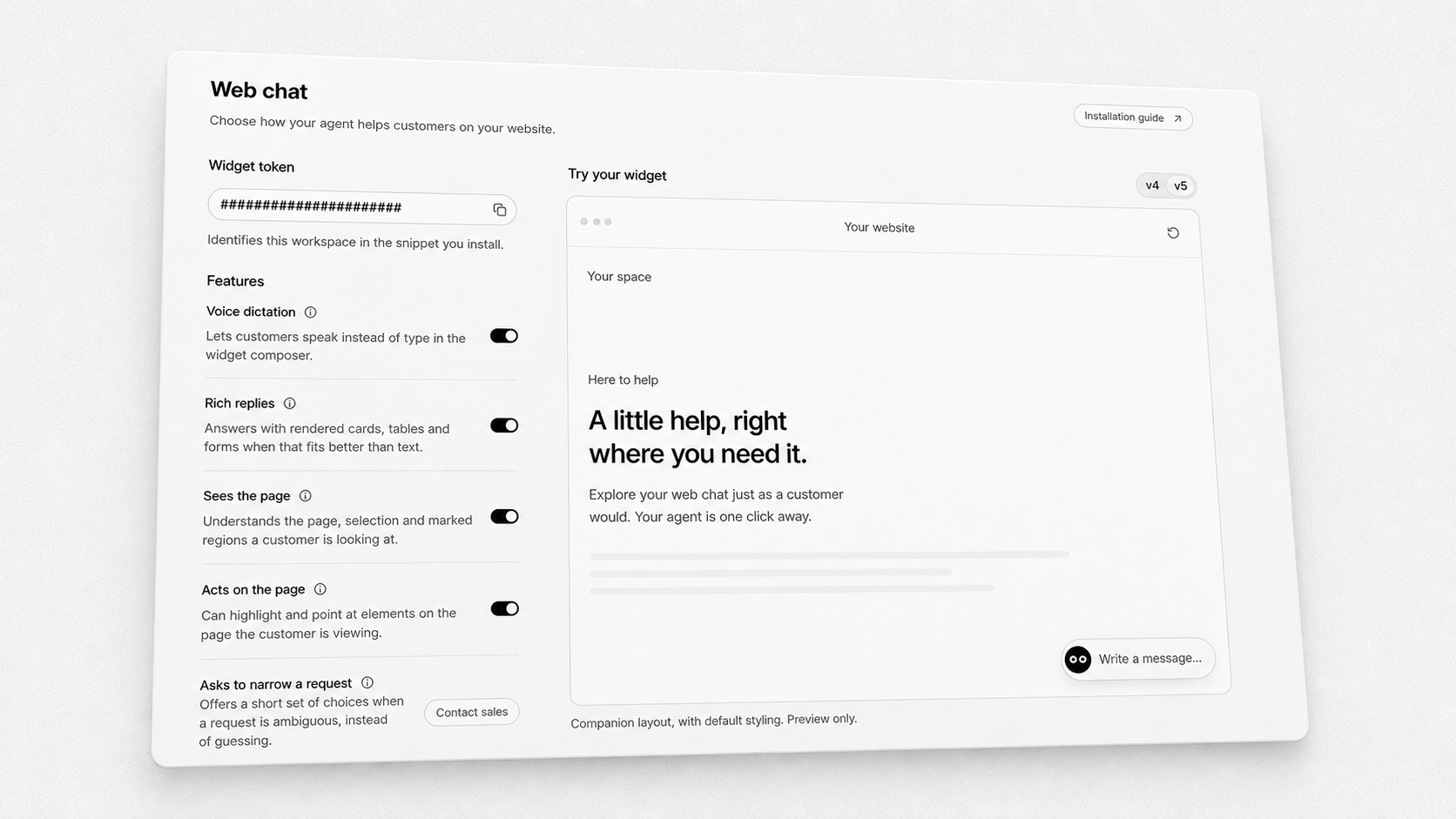
- Copy your widget token and open the installation guide from the same page
- Control voice dictation, rich replies, page context, page highlights and clarifying questions where you configure your web channel
- Preview the widget beside your settings; saved feature changes refresh the preview
Advanced features, across your channels
The Advanced settings page brings agent-wide capabilities together, with clear controls for features included in your organization and those available on request.- Configure progress updates and whether the agent remembers past sessions
- Enable available scheduled follow-ups, task plans, a workspace and mini apps, or request access from the feature row
- Scheduled follow-ups let the agent check back and continue the same session later
- Feature switches save as you change them; handoff behavior remains in Handoff settings
Get started with a coding skill
Install our widget skills to help your coding assistant configure a new integration or migrate an existing site to v5.- Choose the integration skill for setup and Companion configuration, or the migration skill for v4-to-v5 checks
- The setup guide includes the npx installation commands and keeps the v5 beta version choice explicit
Calling, rebuilt around the agent on the line
A big round of upgrades for teams taking phone calls in the inbox: hold that truly holds, dialing that tells the truth about what happened, breathing room between calls, and new controls for sounds, tabs, and pop-out calling.Live transcripts for calls answered by your team
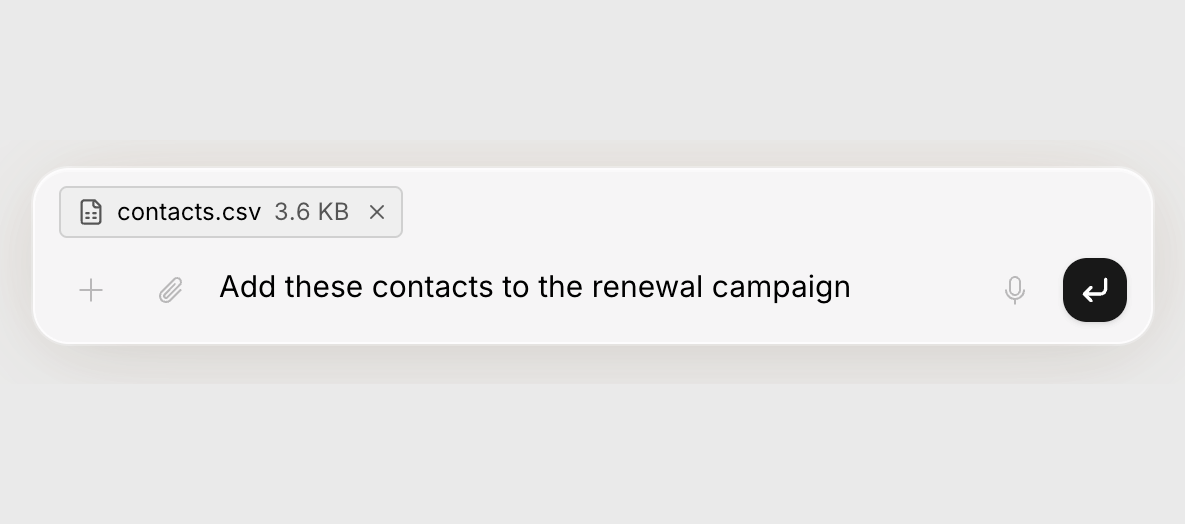
Calls handled by human agents now produce a live, speaker-labeled transcript in the session while the call is still happening. Available per organization on request.Hand the companion a file
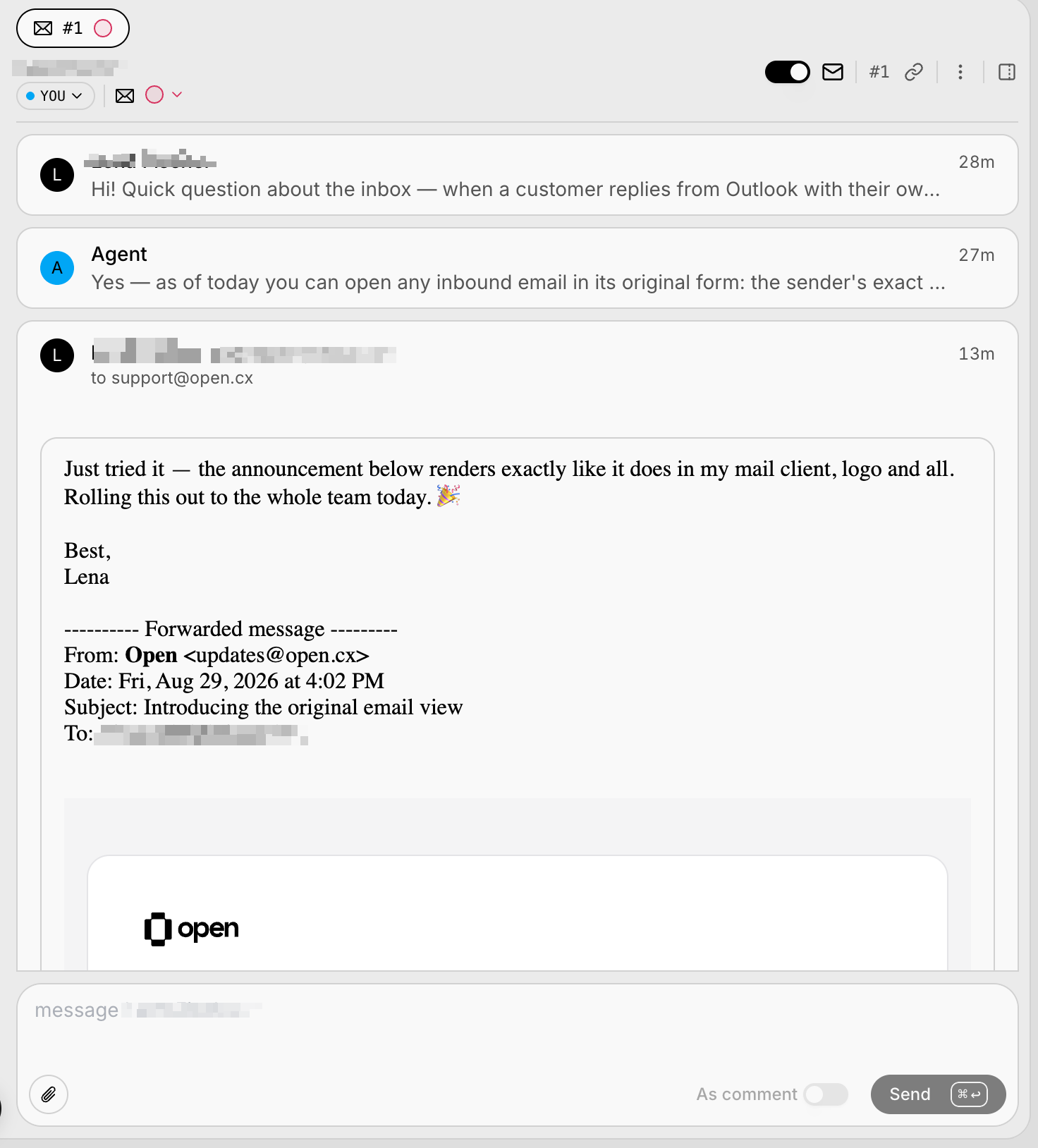
Email, exactly as it was sent
Simpler rules for editing and deleting shared inbox views
Every shared view used to carry its own private list of people allowed to edit it, which meant even an admin got “you do not have permission” on a view someone else made. That list is gone. One rule now decides everything: the person who created a view can always change it, and so can anyone holding the “Shared inbox views” permission — admins included.Screenshots inside macros, right where each step needs them
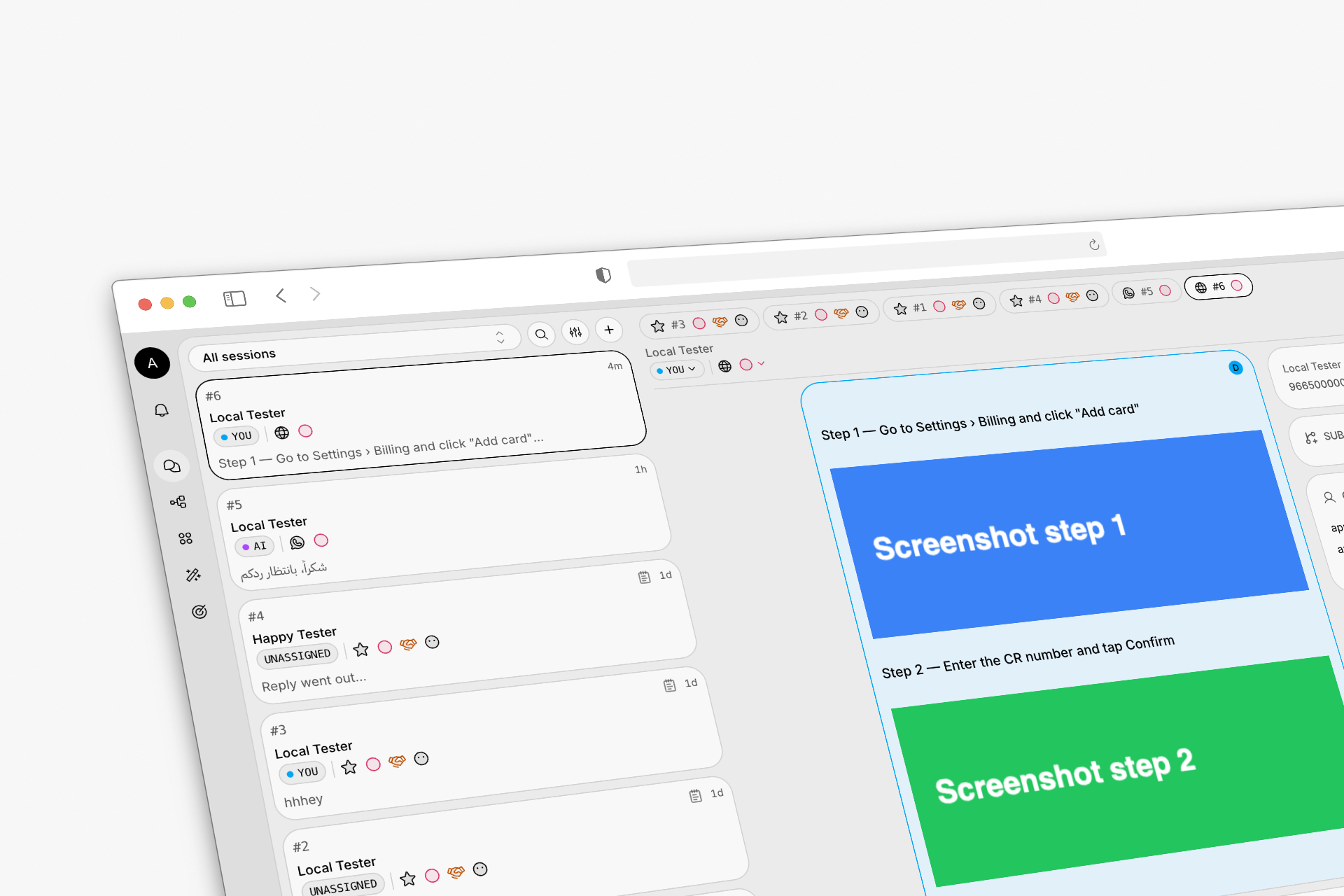
Phone calls that never leave a caller hanging
A round of voice upgrades focused on dependability. The phone agent handles quiet moments gracefully, always says goodbye before ending a call, and runs isolated from the rest of the platform so nothing else can interrupt a live call.Security emails: admins know the moment something sensitive changes
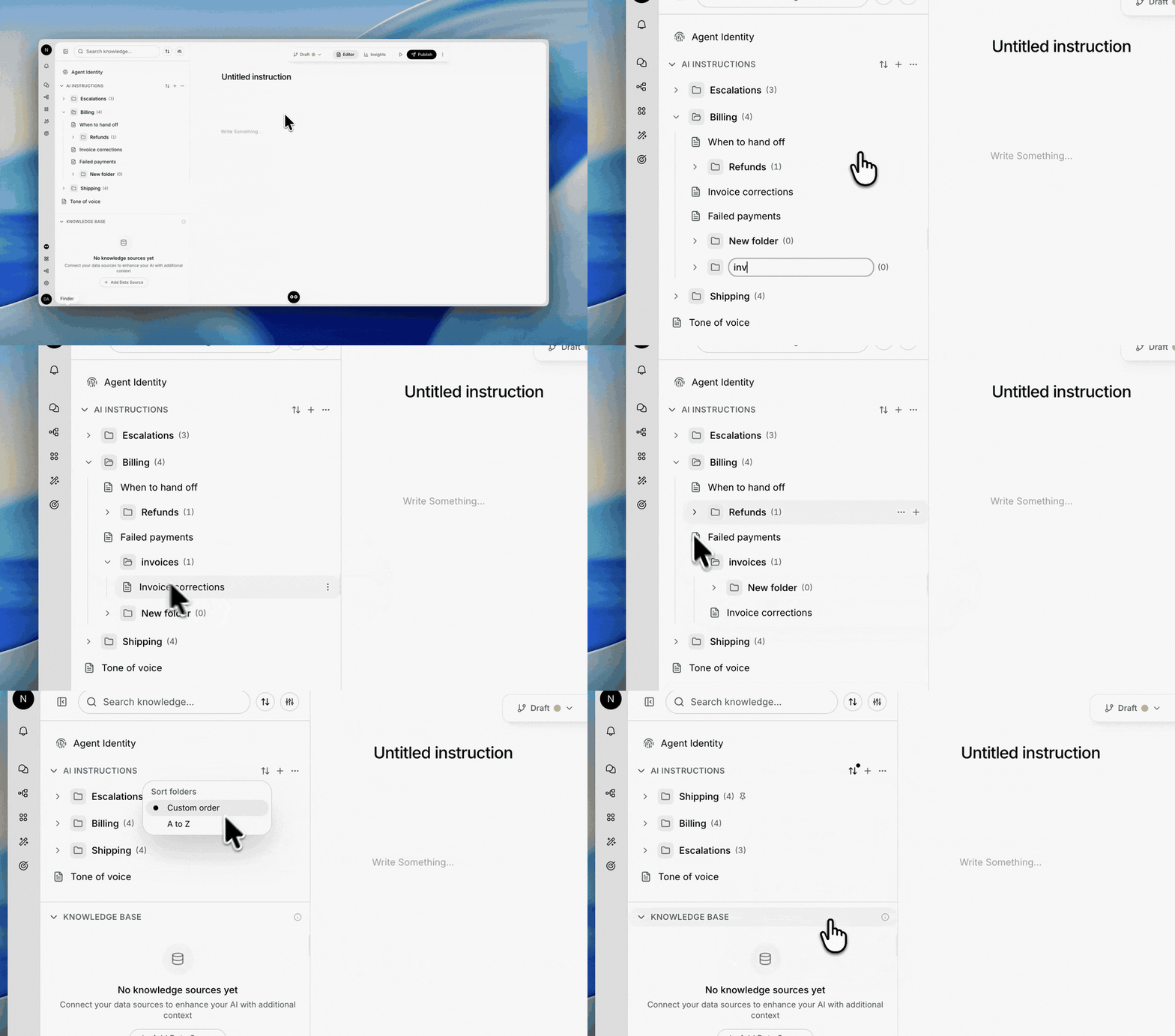
Every admin now gets an email when something security-sensitive happens in the organization. Each alert matches an entry in the audit log, says exactly who did what, when, and from where, and the critical ones cannot be turned off.Sub-folders, pins and custom order for AI instructions
Talk instead of type — voice dictation everywhere
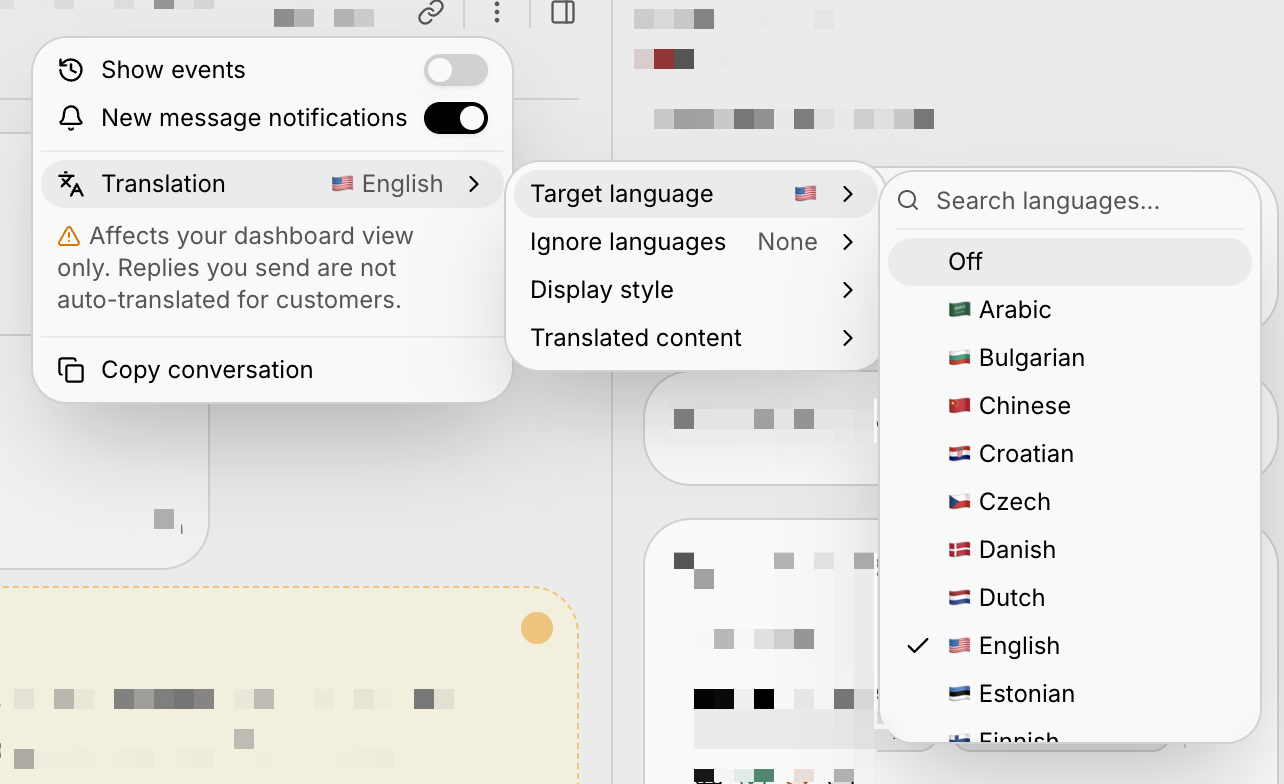
Speak your replies instead of typing them. Every Companion composer now has a microphone, and a keyboard shortcut turns any text field in OpenCX into a dictation surface — your words appear live as you talk, punctuated and capitalized for you.Read every session in your language
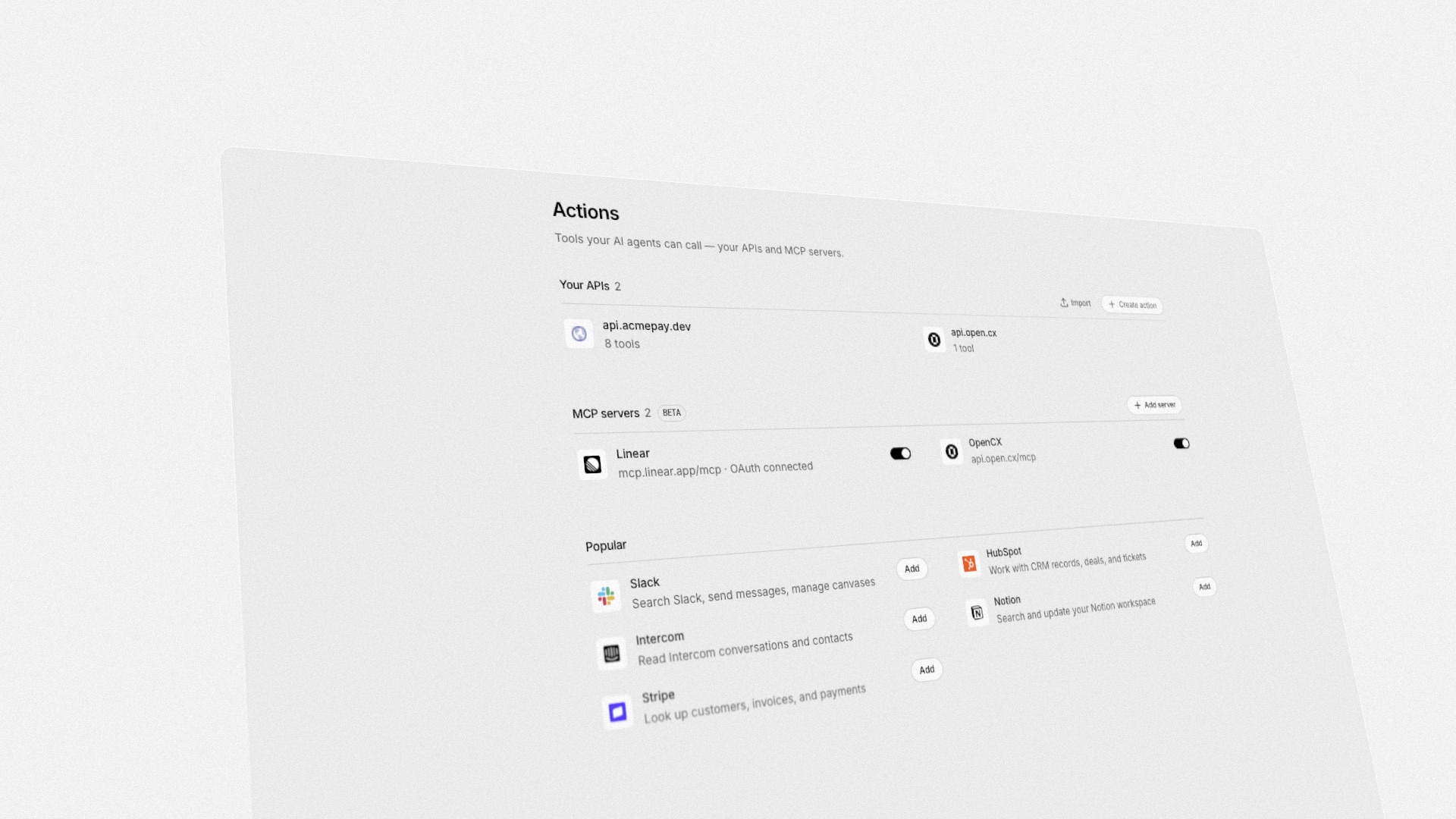
Connect any MCP server to your AI agent
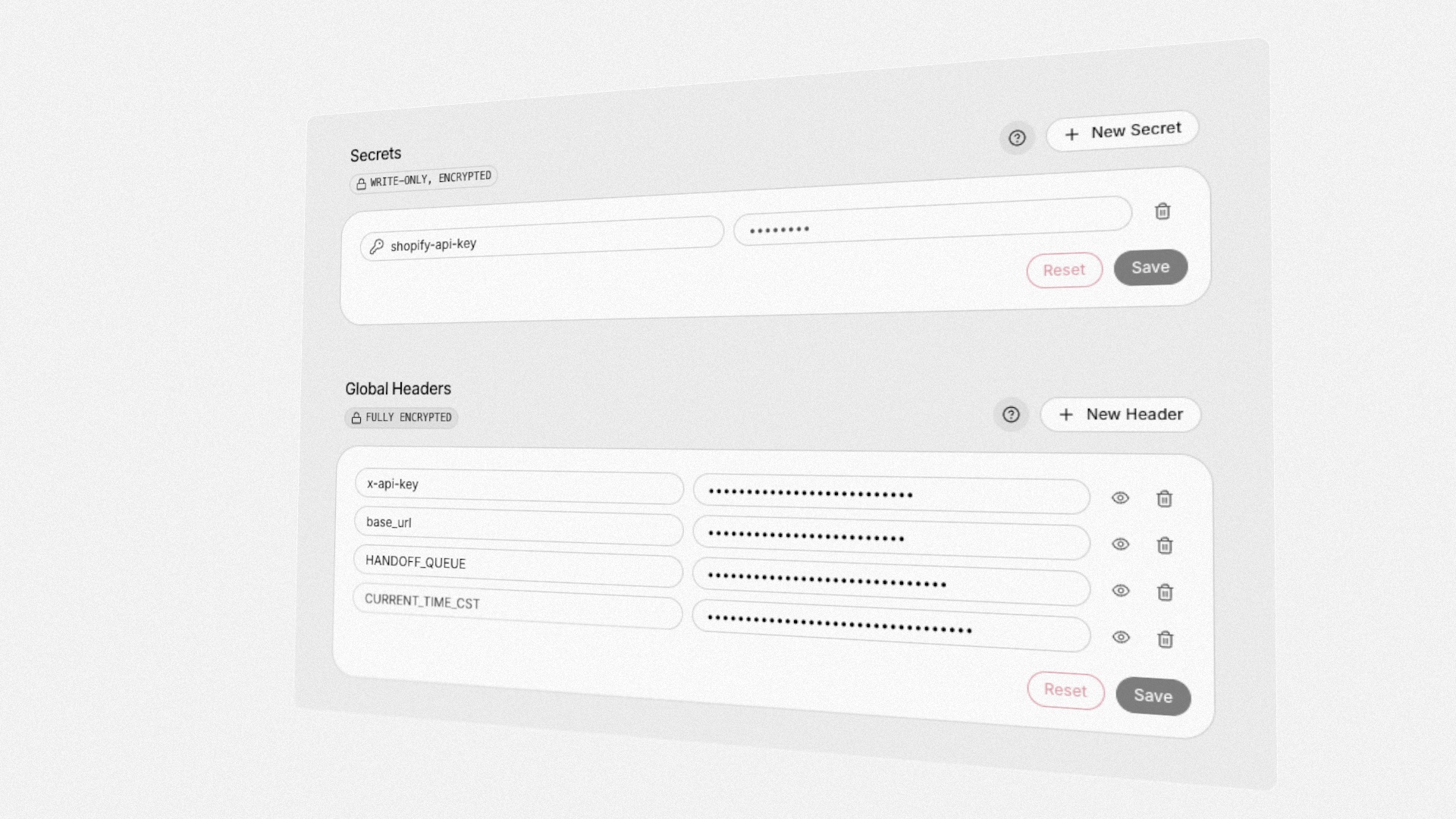
Named secrets for action credentials
Reference it from any action
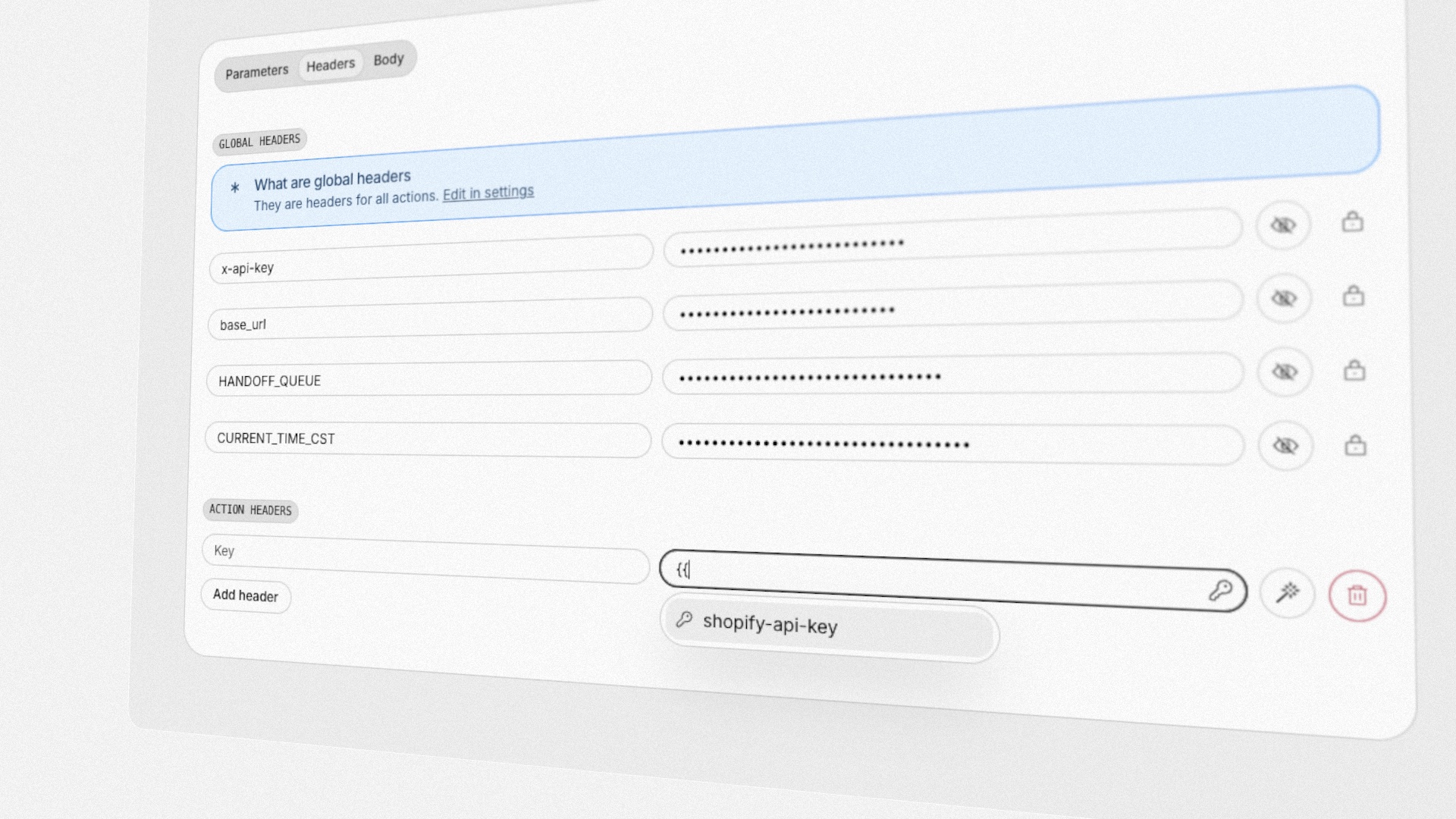
{{ in any action header value to pick a secret, or write {{secrets.<name>}} directly. The secret travels only on the requests that reference it — and a header whose secret is missing is dropped, never sent with the raw placeholder.- Write-only by design: no screen, API, or export ever returns the value after creation
- Each secret shows how many actions reference it before you delete it
- MCP server auth headers accept the same references
Block abusive IPs on your own rules, not by hand
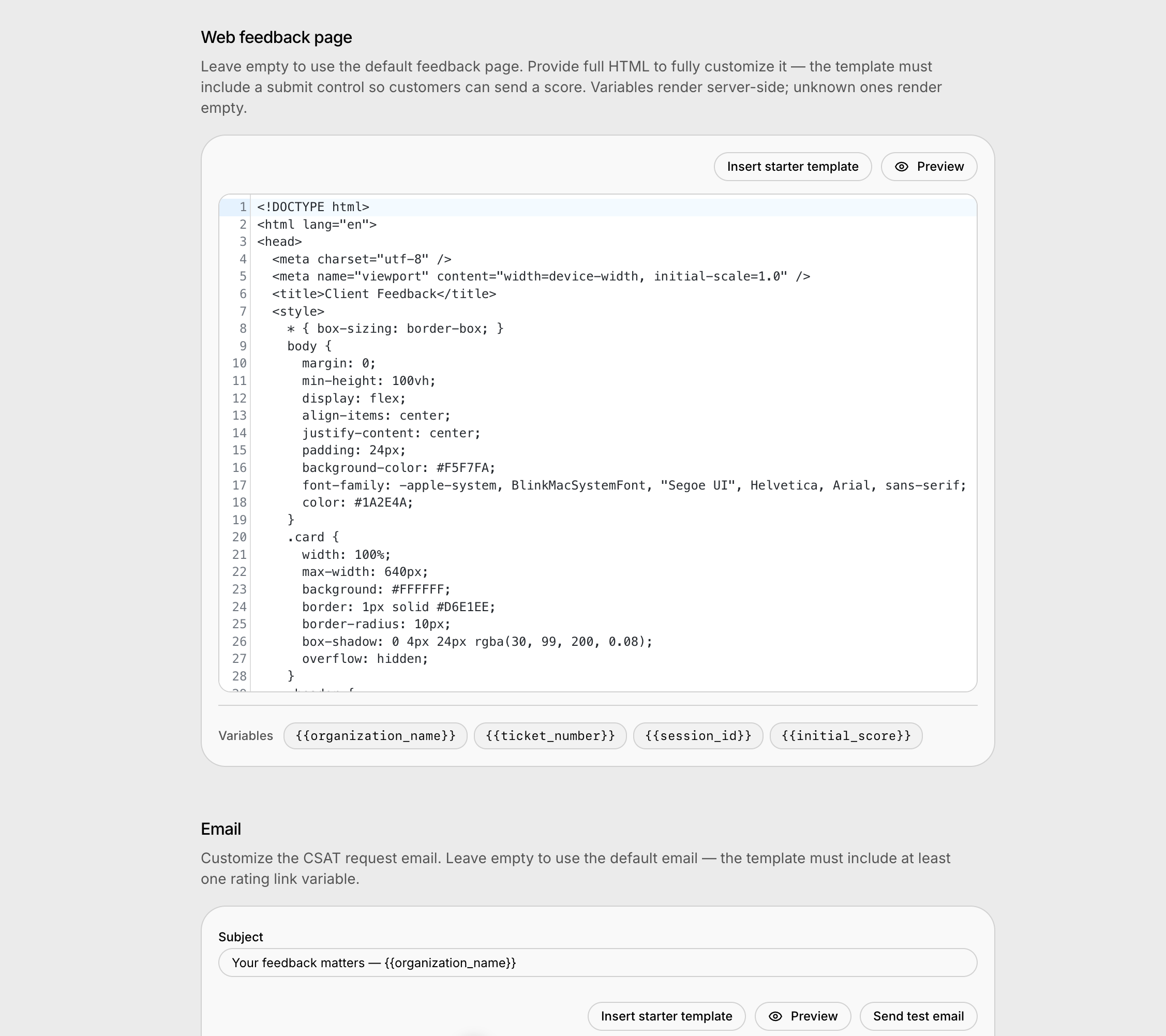
Blocking an IP used to mean noticing the abuse, digging the address out of somewhere, and banning it forever. Now a workflow can count how many sessions an address has opened in the last few minutes and block it on whatever threshold you consider abusive — and blocks can expire on their own, so a shared office or mobile-carrier address is never banned permanently by mistake. Every session in the inbox shows the address it came from, and session exports can carry it too.Design your own CSAT surveys
Block abusive visitors by IP
Settings → Autopilot now has a Blocked IPs list alongside blocked contacts and domains. Block a single address or a whole CIDR range and that visitor can no longer reach your AI assistant — useful when someone keeps creating throwaway contacts, so contact- and domain-blocking never bite.Enterprise SSO with SAML and OIDC
Sign in through your own identity provider — Okta, Entra, OneLogin, and friends — with DNS-verified domains and just-in-time provisioning that grants new users a least-privilege role.Crawl password-protected websites
The website crawler can now sign in to your protected sites. Add HTTP Basic, bearer token, cookie, or custom-header credentials to a website datasource and every crawl authenticates automatically — credentials are encrypted at rest and never shown again after saving.See how your team adopts Companion
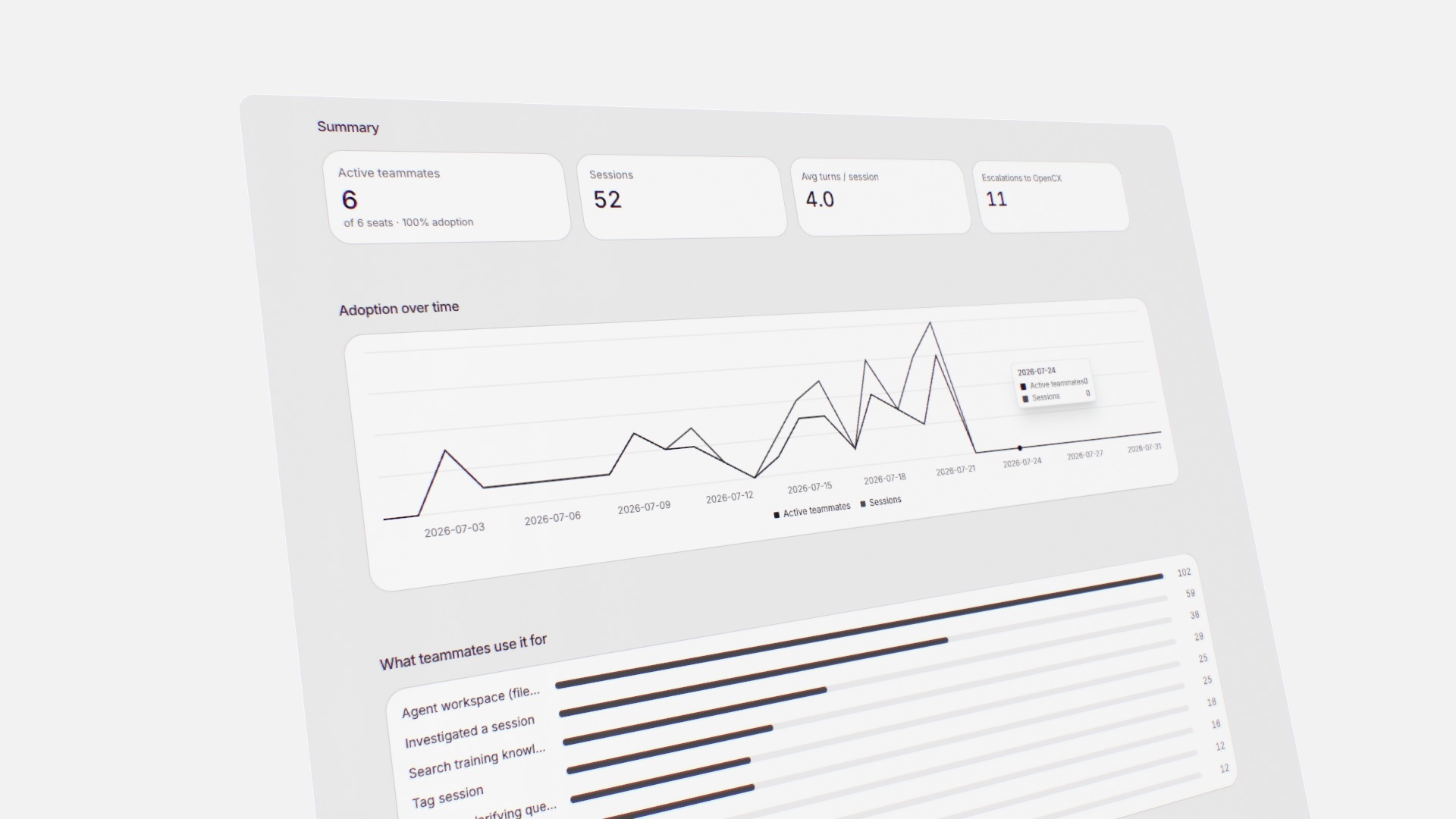
Analytics, rebuilt for speed
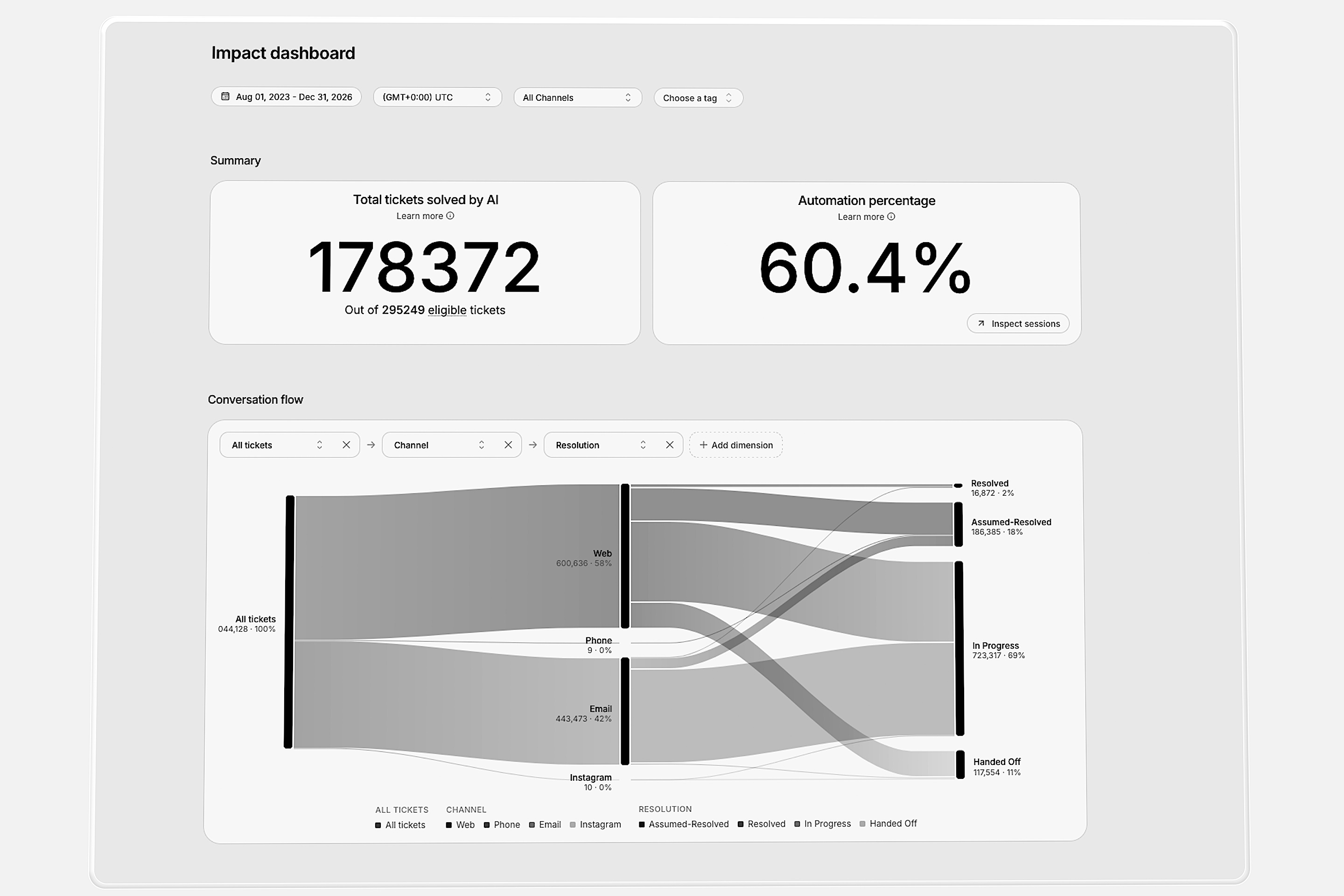
Introducing Companion Apps
Custom reports for the metrics that matter
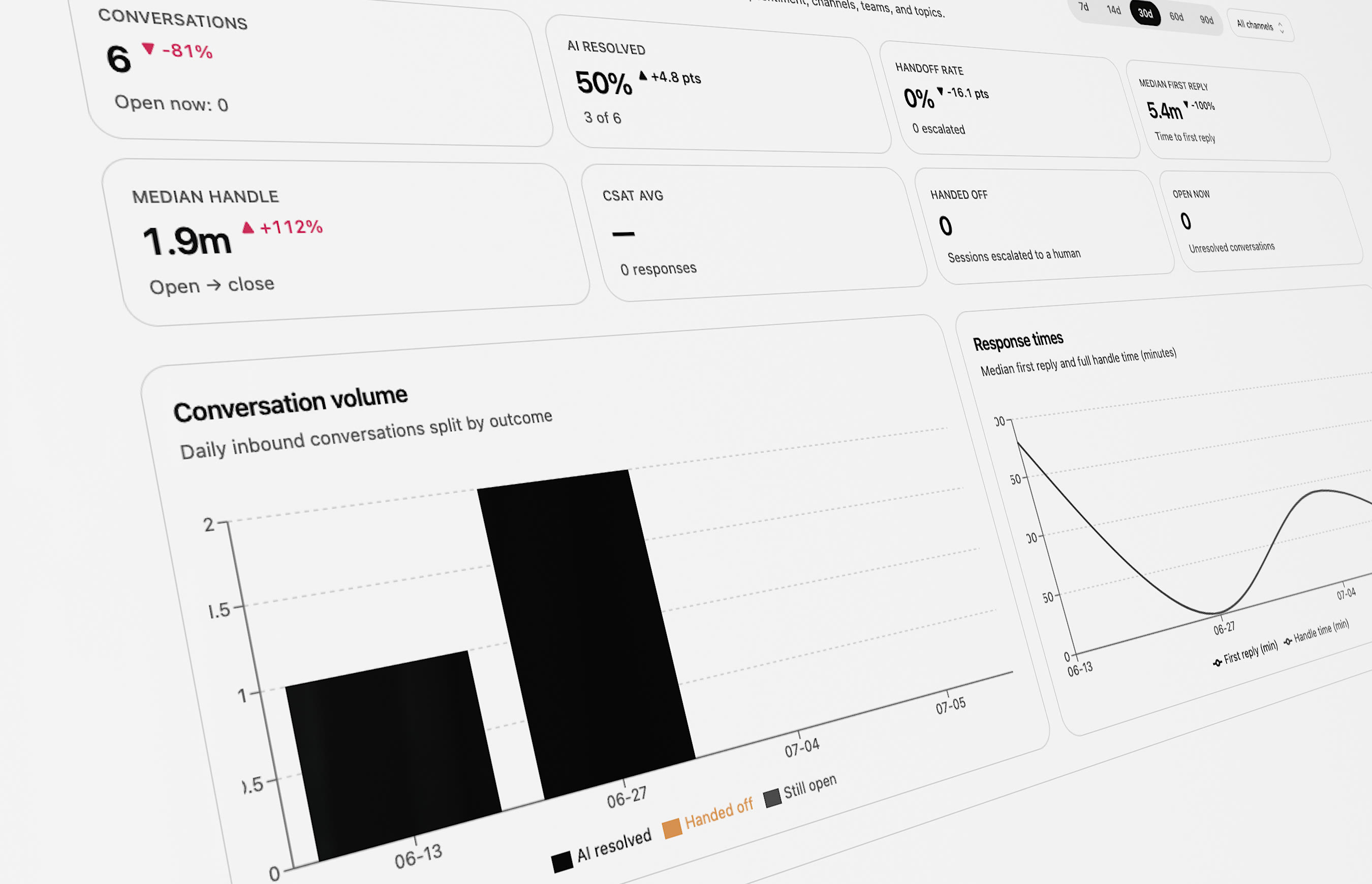
- See where conversations resolve, stall, or escalate
- Go from a question to an answer in minutes
Faster resolutions, without the tab-switching
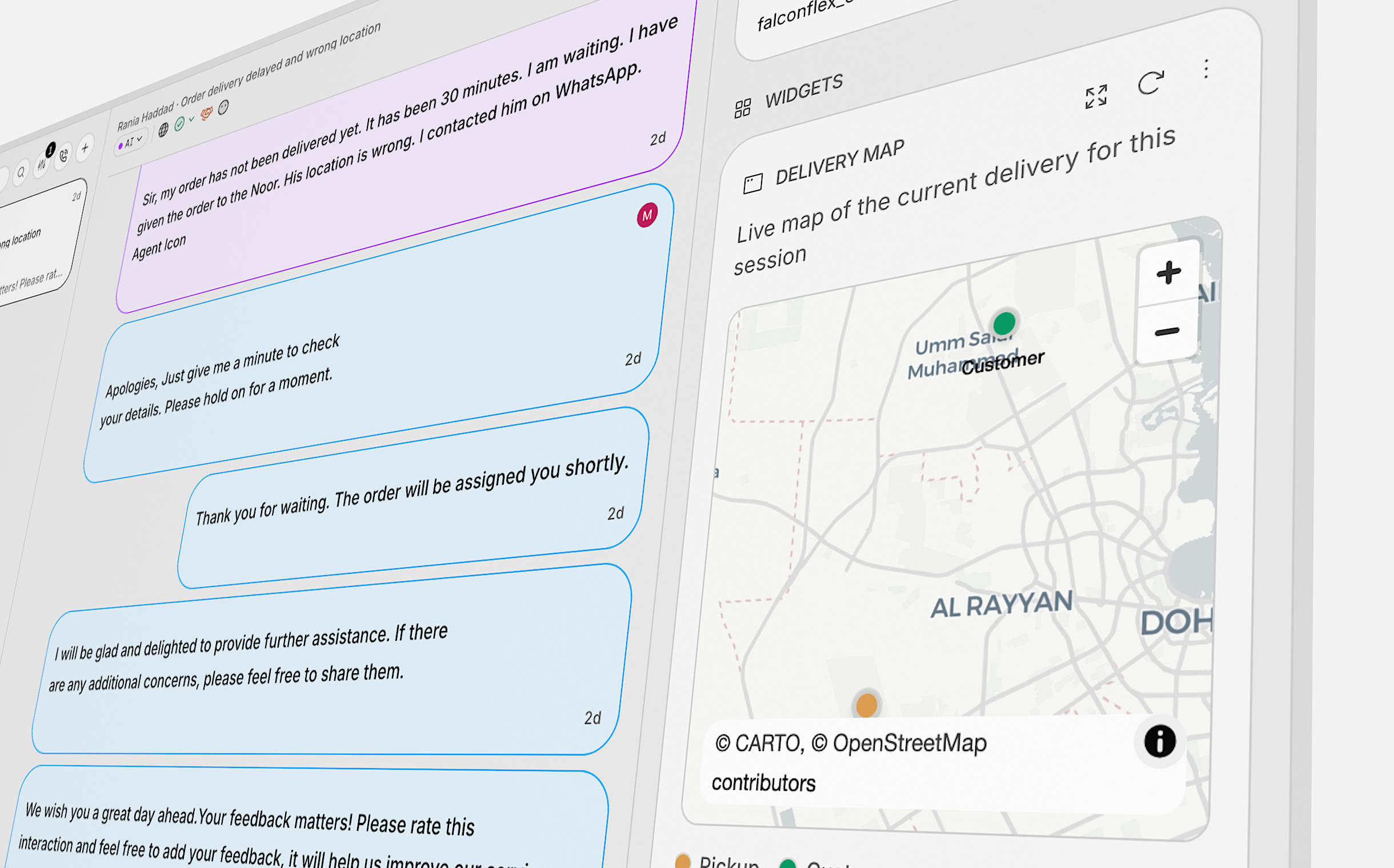
- Cut handle time with the context already in reach
- Surface live order, delivery, and account details
Ask Companion any analytics question
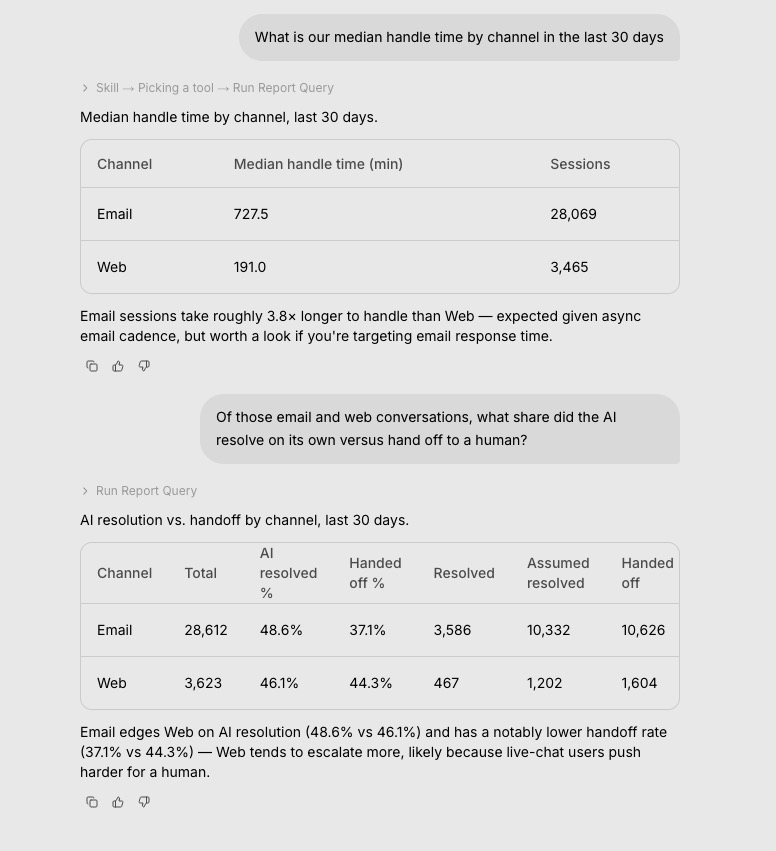
Companion can now run your actions
Ask Companion to run one of your actions and it makes the real request for you — with your confirmation — then shows you the response. It can run your workflows too.See which Instructions, Knowledge, and Actions your AI uses
Every AI reply now records the Instructions, Knowledge Base articles, and Actions it drew on. Each one gets a usage view — how often it was available to the AI versus actually used, the handoffs tied to it, and the conversations that used it — and you can filter your inbox by them.Freshdesk ticketing, HubSpot AI fields, and richer session exports
Connect Freshdesk as a ticketing system, let AI fill your configured HubSpot fields, and export sessions with your own custom data columns — with live progress while the export runs.Excluding a page now removes it from your AI
When you exclude a crawled page — or add an exclude rule to a website source — its content is removed from your knowledge base, so your AI stops answering from pages you meant to hide.Keep insight categories organized — and catch issues when they come back
Up to 150 insight categories with a usage meter. Companion helps merge duplicates. Resolved issues reopen when they happen again, and you can see similar insights at a glance.Talk about insights with your team
Comment on insights like the inbox — threads, @mentions, notifications, and jump to the right comment from a notification.Schedule when AI instructions apply
Set start and end dates for AI instructions. Before you publish, see what is scheduled, live, or already past.Smarter email and Twilio Flex in the inbox
Control how each email channel handles mail, use reusable templates, and see Twilio Flex agent messages in the inbox.Start WhatsApp chats from the dashboard, plus new workflow steps
Open a new WhatsApp conversation from the dashboard. Workflows can run in order, assign smarter, and pull data from pages, documents, and spreadsheets.Clearer roles and billing in settings
Roles and permissions are easier to manage. Billing connects to Stripe for simpler subscription handling (for admins).Infobip, WhatsApp surveys, and a better inbox
Infobip as a channel, WhatsApp satisfaction surveys with tap-to-rate lists, filter by external ticket ID, resize the reply box, and send files without a message.Companion answers faster and shows more as it works
Companion starts quicker, shows rich updates while it works, and lets you keep typing. Look up help on docs.open.cx when you are stuck.Freshchat routing, shared settings, and macros that run workflows
Shared workspace settings, smarter Freshchat handoffs and tags, macros that start workflows, and more control over assignments.From blank workspace to live AI — guided by Companion
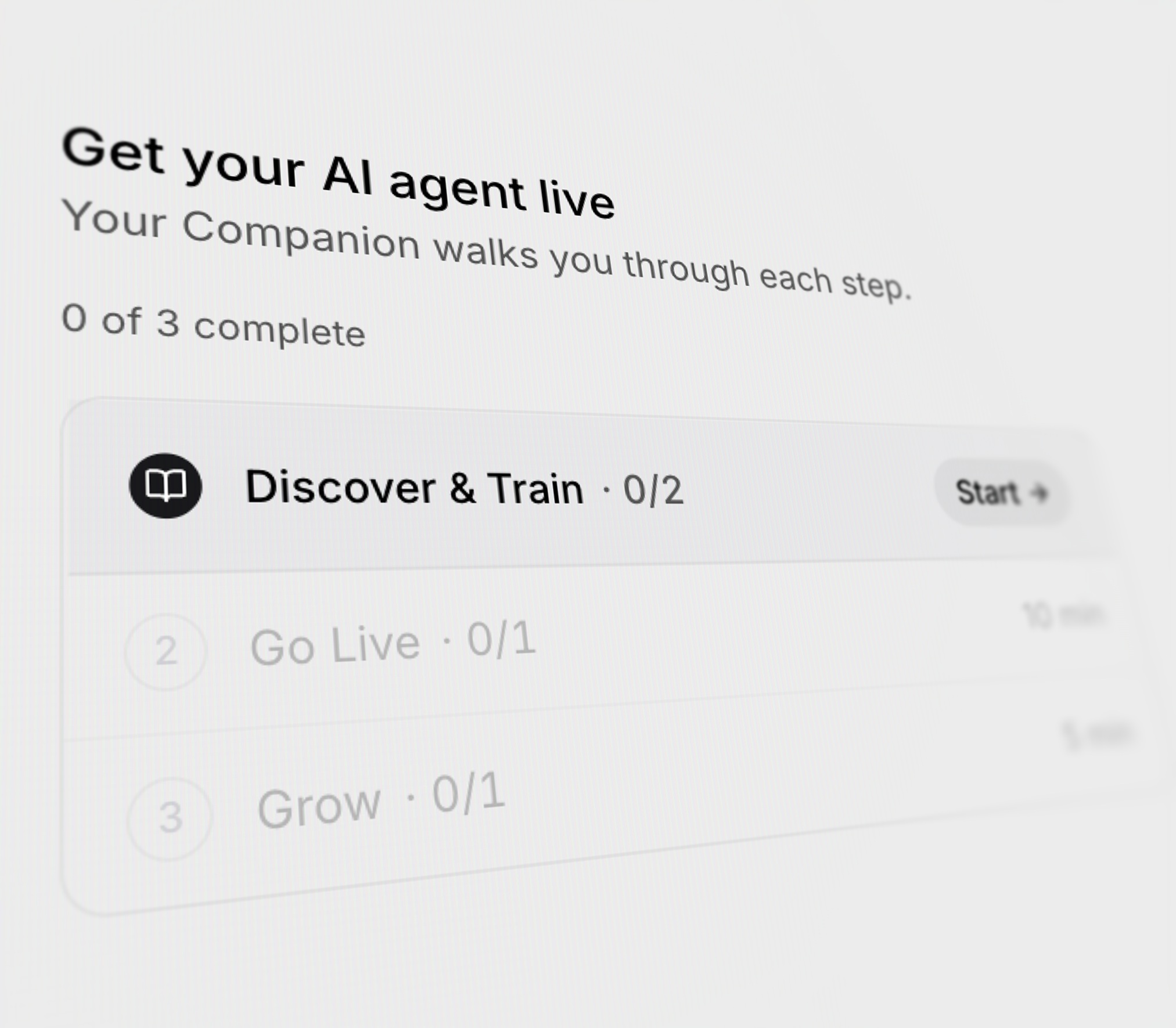
Plan first, then act
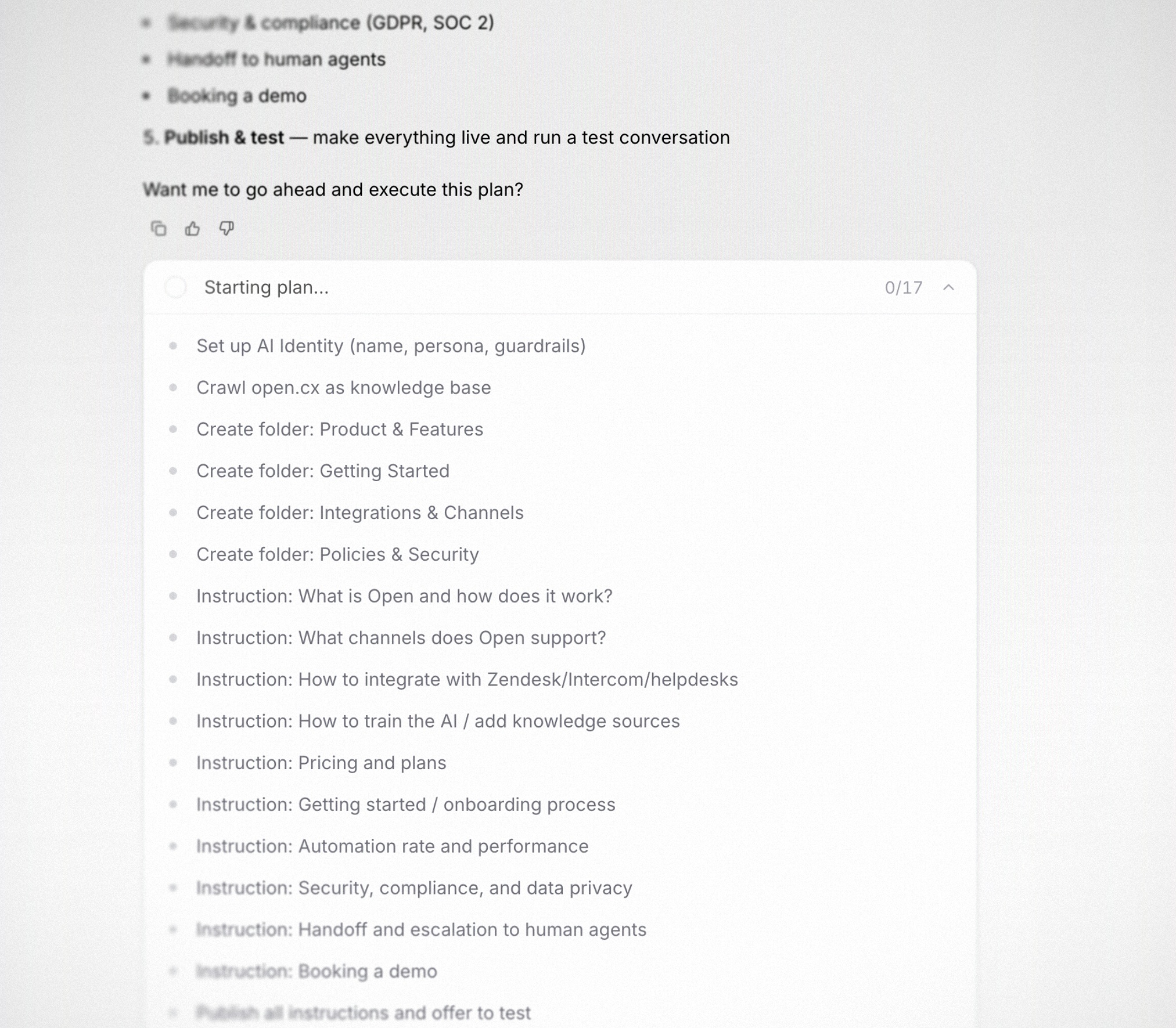
- Itemized plan up-front for every substantial ask
- Live progress counter ticks as steps execute
- Stop or redirect at any step
Test before you ship
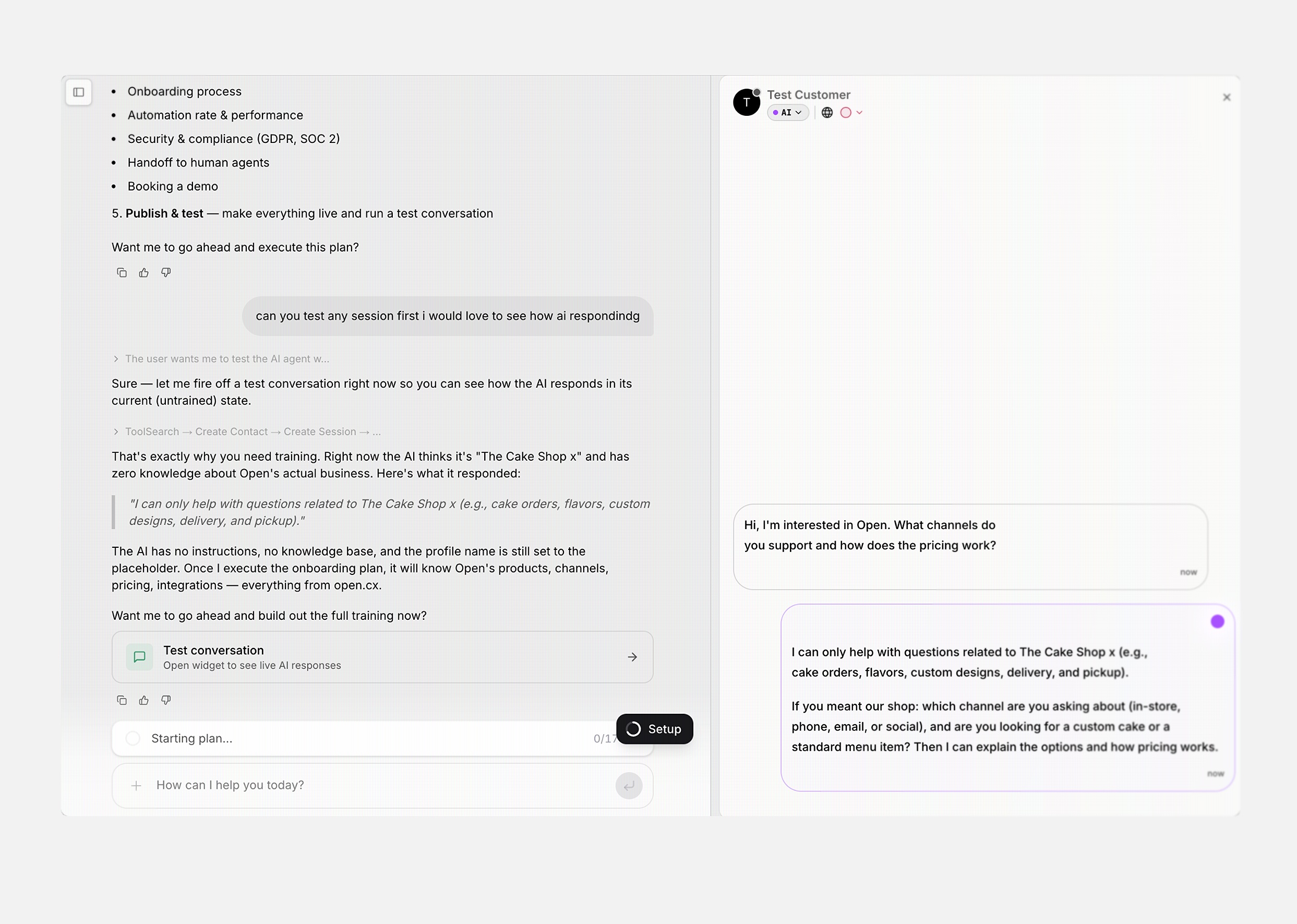
- Real widget, real AI — same tools, same responses
- Side-by-side: Companion on the left, Test Customer on the right
- Companion reads the transcript and recommends concrete fixes
Group your inbox by channel, assignee, status, language, or team
Add a Group By to any inbox view and the session list collapses into labelled sections — grouping by channel, assignee, status, AI status, language, or support team. Saved on the view, so the grouping comes back the next time you open it.Saved replies now support variables
Drop variables (macros) into a saved reply and they fill in from the session at send time — contact name, ticket number, agent name, and more. Edit existing replies and add variables from the same place you create them.Personalize how the inbox sends messages — per channel
A new Personalization settings page lets each agent pick how they send messages on each channel. Choose Enter or Cmd+Enter as the send shortcut per channel, and the active shortcut shows up right on the send button.Inbox shows messages in the agent’s language by default
Translated messages are now what the agent sees by default — and what the customer sees by default for outbound replies — so you don’t need to click into each message to reveal the translation. A “Show original message” action is one click away on every message.Inbox messages send instantly
Agent replies now render the moment you hit send — no more waiting for the round trip. The optimistic message is reconciled with the server in the background and dedupes cleanly when the real message arrives.Custom views: drag to reorder, filter by current user
Drag custom views in the view selector to reorder them — order persists per-org. And every view that filters by assignee can now use a dynamic Current User token, so one shared “My open tickets” view works for the whole team.Per-channel control over agent assignment on handoff
Each channel now has its own assign-on-handoff toggle. Hand off in WhatsApp without auto-assigning to an agent while keeping auto-assignment on for email — or vice versa.Faster, more accurate voice transcription
The voice agent pipeline switches to Deepgram Flux for Western languages and Nova 3 for Arabic — a notable accuracy bump on alphanumerics and account-number reads, with lower latency than the previous OpenAI realtime path.New workflow building blocks
Five new pieces of workflow plumbing land together: a Contact Message Received trigger, a Reopen Ticket action that walks the official status path, an Apply Custom Status action, a Release Session From Capacity action that frees up an agent slot until the customer replies, and an Inactive Trigger improvement that ignores the workflow’s own outbound messages.Export your AI knowledge base as CSV
Export your AI Instructions tree as CSV — full export from the section header, or scoped per-folder from any folder’s hover menu. Filename includes the folder slug, and a confirm dialog previews the file before download.Smarter, fairer agent distribution
Agent routing now factors in released-from-capacity sessions as a tiebreaker — agents with fewer paused conversations get the next ticket when capacity is otherwise tied. When agents are completely tied, distribution randomizes instead of always picking the first one.FreshChat: AI replies on assignment, lifecycle events, and webhook fixes
The FreshChat integration now mirrors Intercom — the AI starts replying as soon as a conversation is assigned to it, and lifecycle events (resolution, reopen, assignment) flow through correctly with the right system messages and SLA bookkeeping.Describe your tags so the AI auto-tagger picks the right one
Add a short description to each tag and the AI auto-tagger uses it as taxonomy guidance — picking the right tag when the name alone is ambiguous.Contact segments in the public API, MCP, and workflows
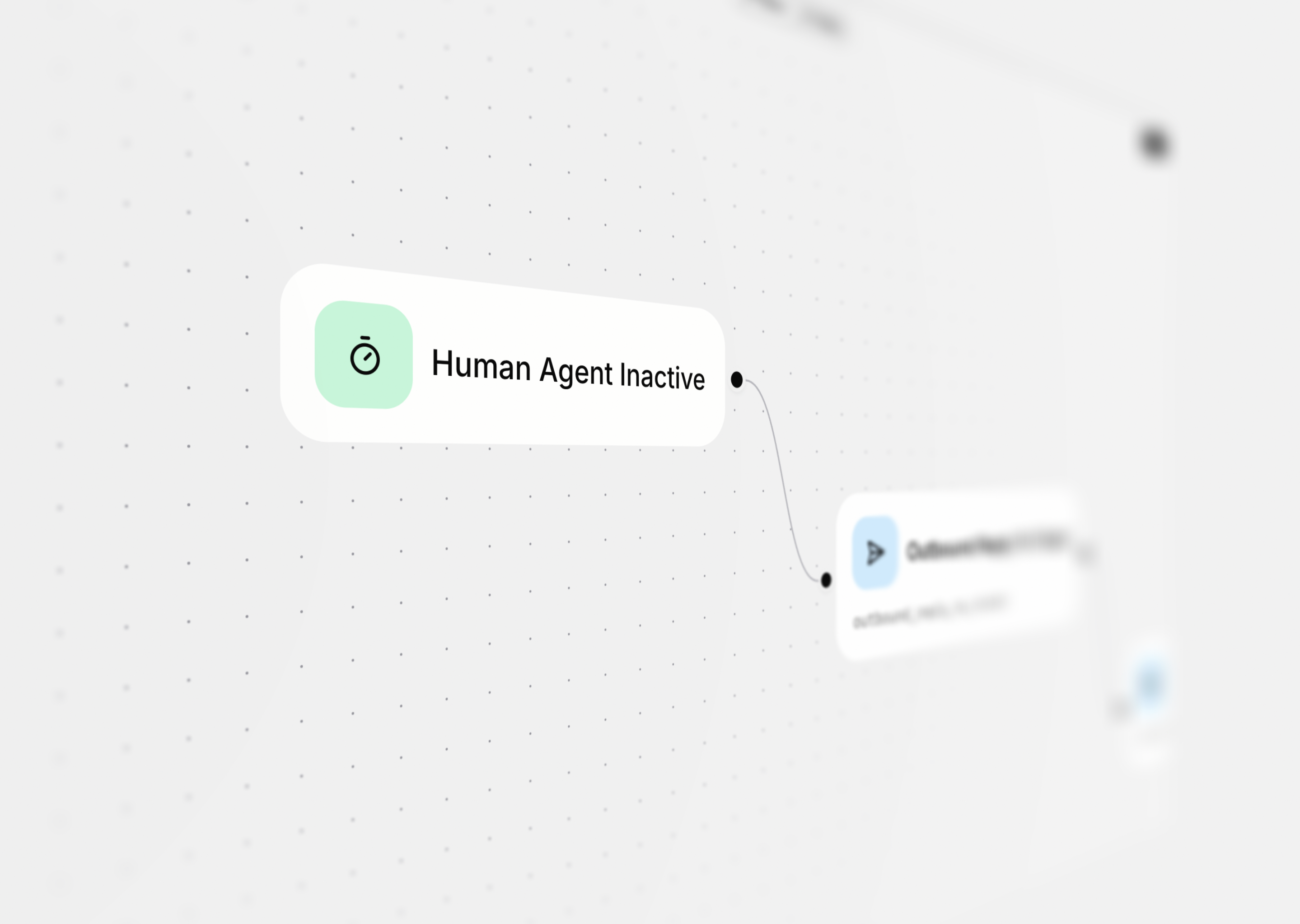
Read your contact segments and check membership from anywhere — the public API, the @opencx/mcp tools, or a new workflow action that branches on whether a contact is in a given segment.Trigger workflows when human agents go quiet
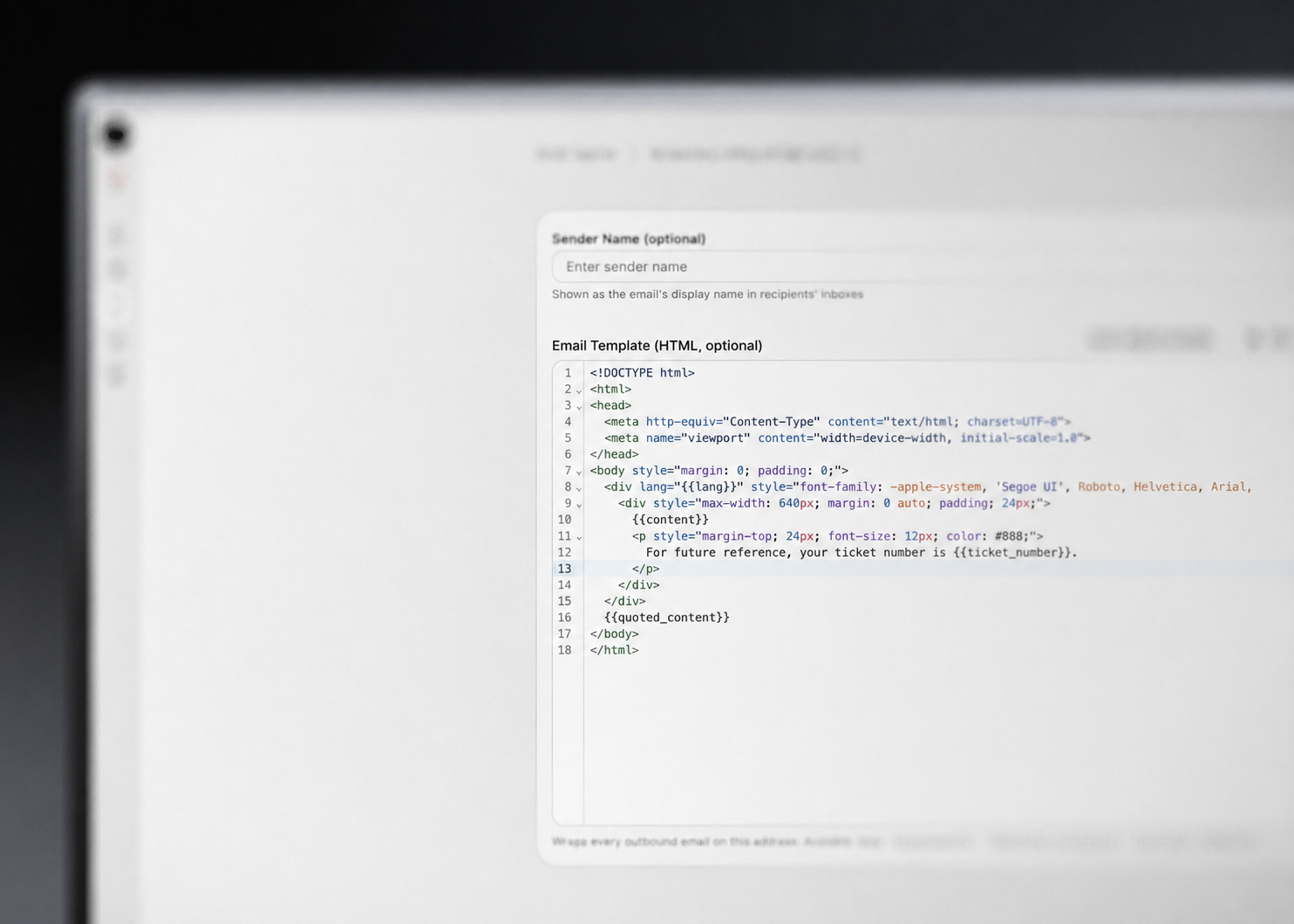
Custom email template per address
Share custom views with your team

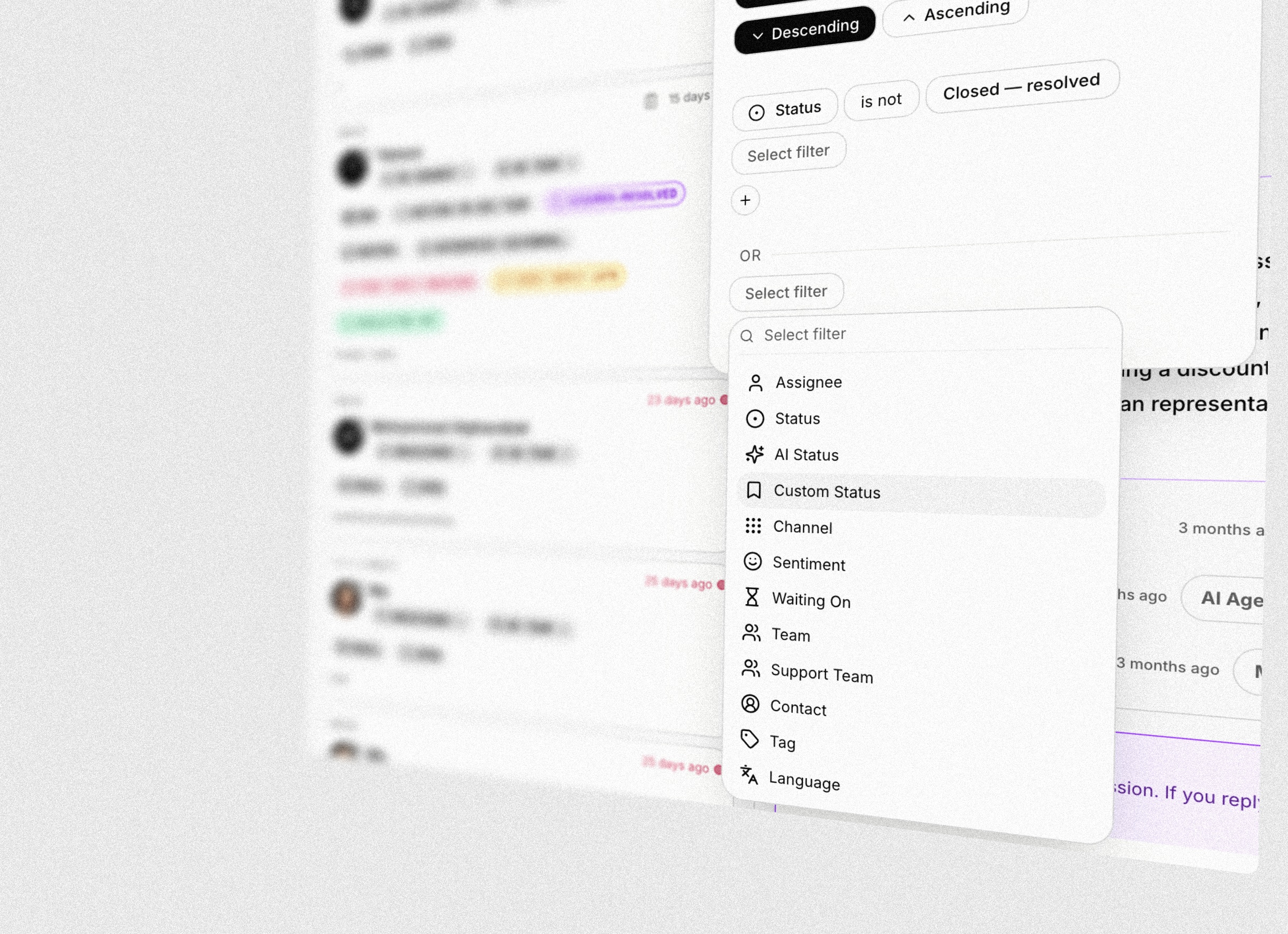
Build advanced session filters
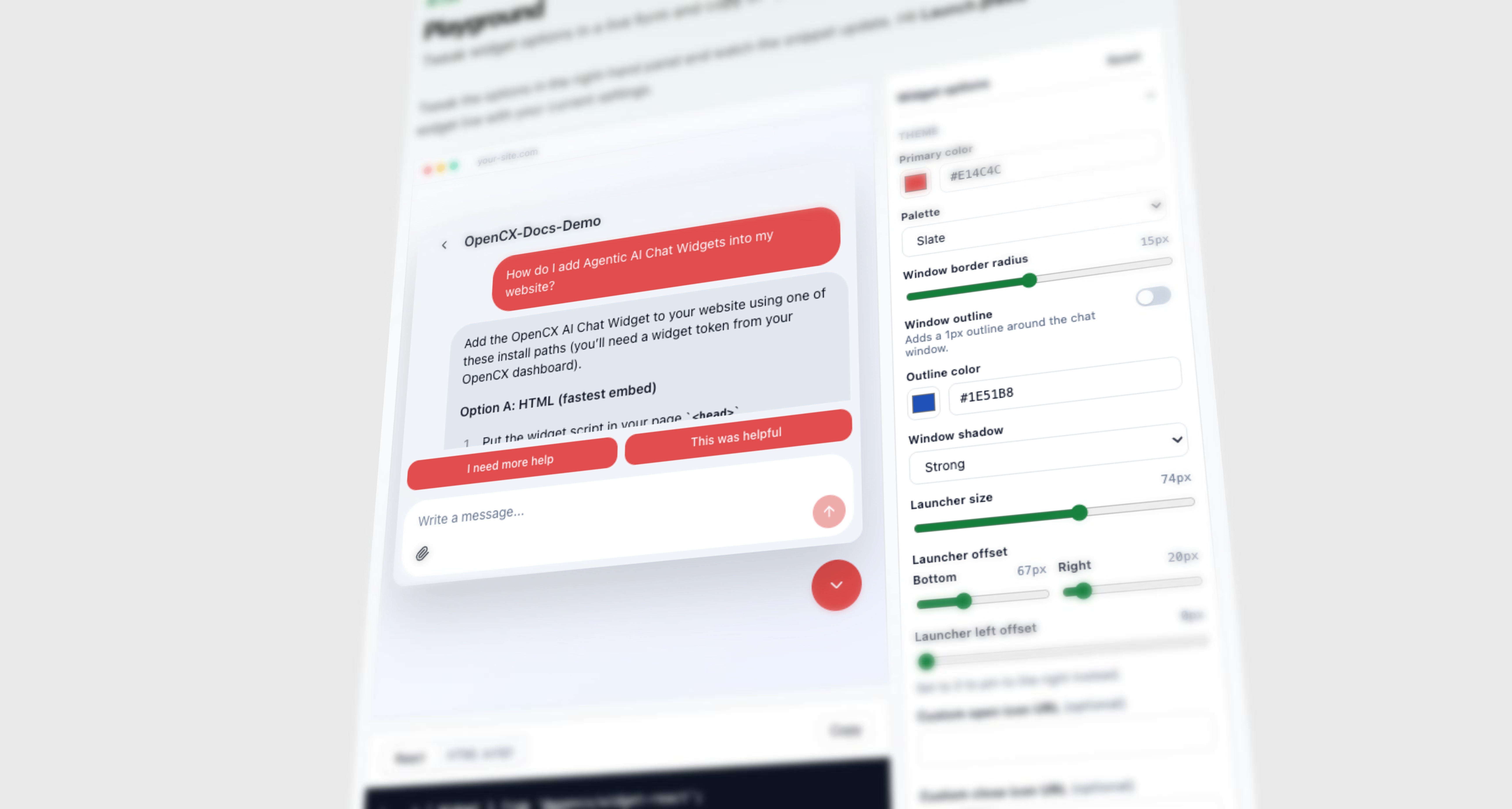
Try the widget before you install it
Connect multiple FareHarbor accounts to one org
Tour operators with multiple locations, brands, or currency accounts can now connect each one as a separate FareHarbor integration. The AI picks the right connection automatically based on what the customer is asking about.See every change Companion makes, right in the chat
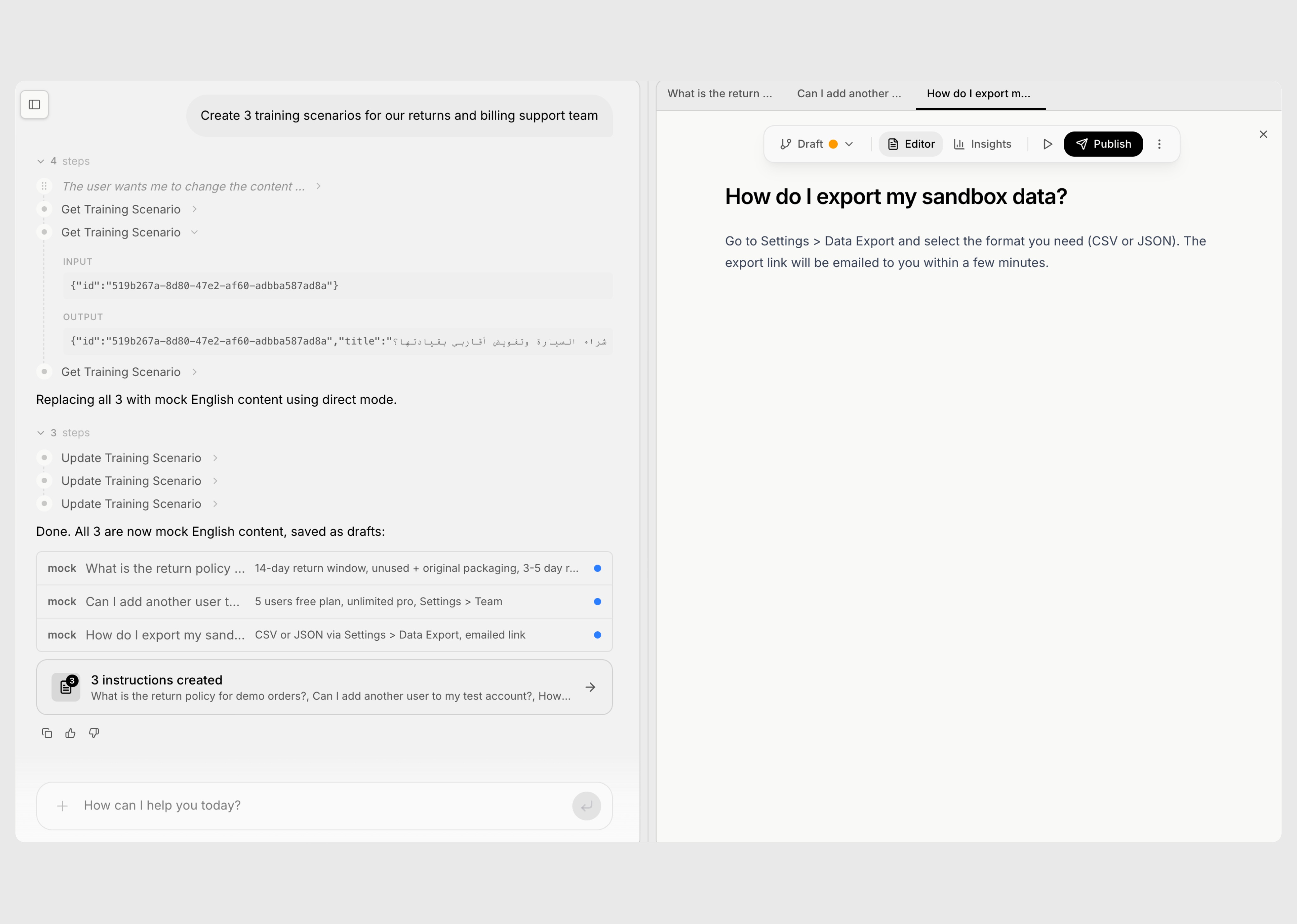
PDF attachments for the AI
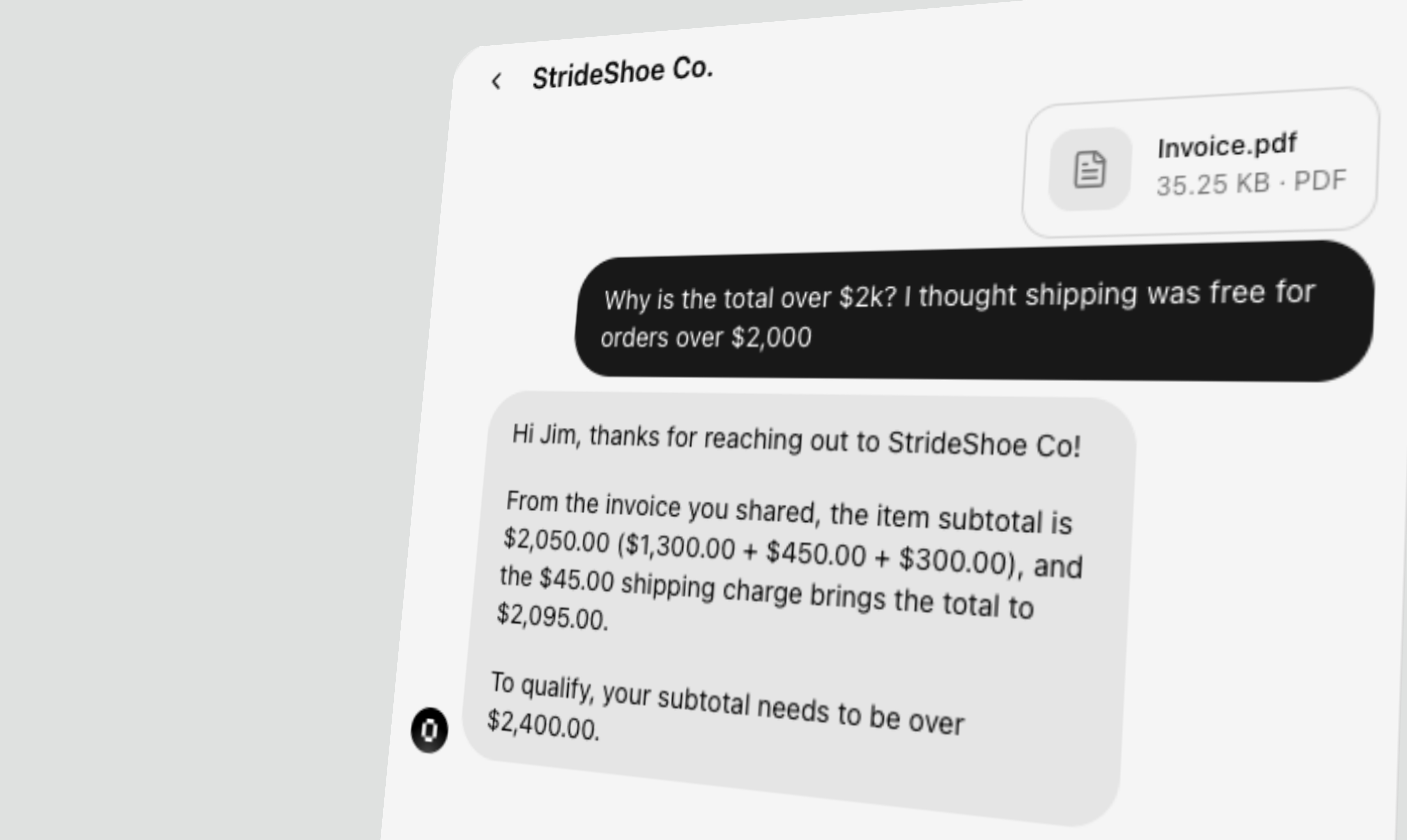
Companion
A senior support ops expert that lives inside your dashboard. Six specialized skills, 140+ tools, and deep context awareness — all from a single conversation.A dedicated home for your AI assistant
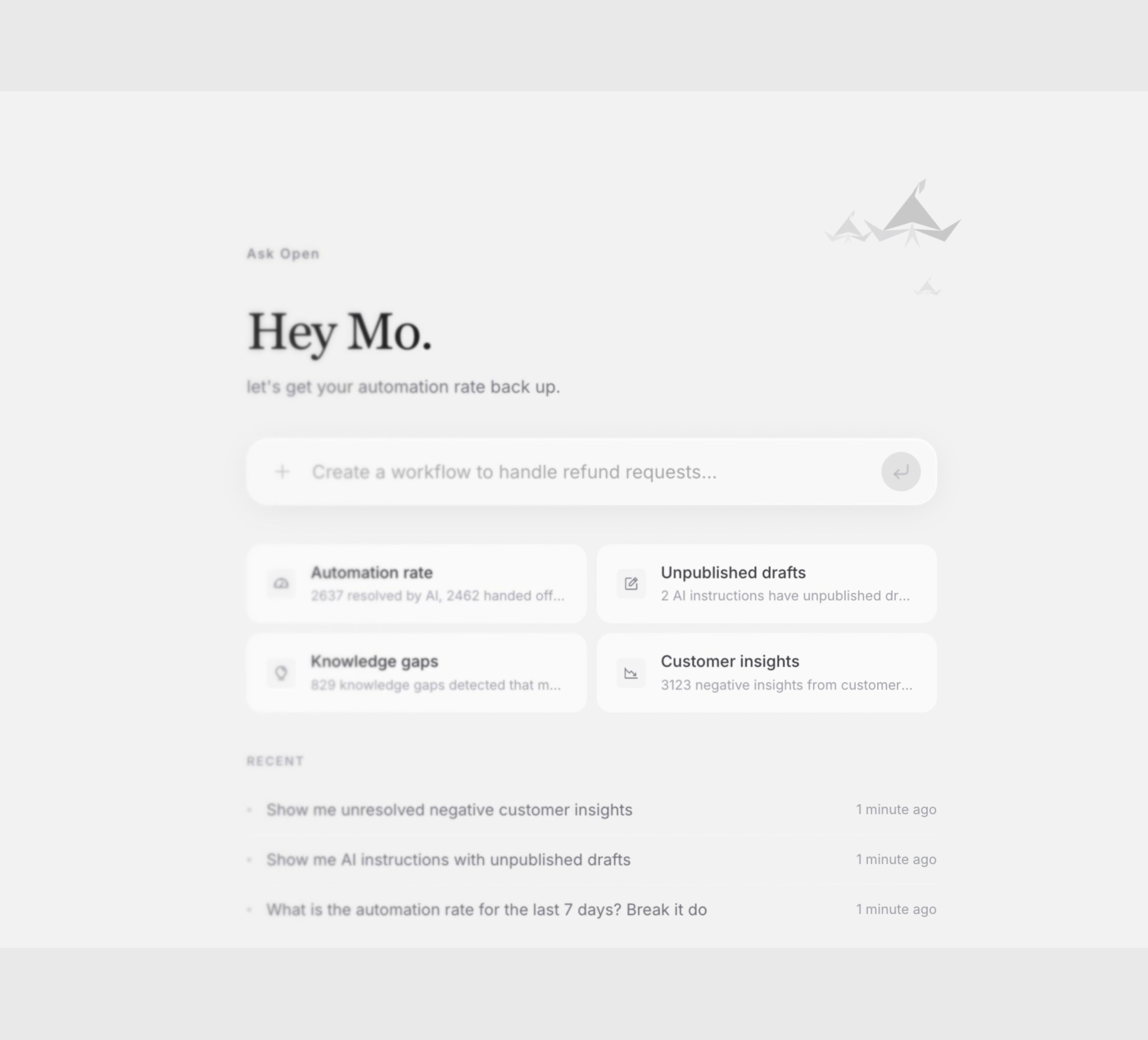
- Personalized greeting based on your name, time of day, and top priorities
- Smart suggestion cards that surface automation trends, handoff spikes, and knowledge gaps
- Recent conversation history in the sidebar for quick context switching
Automation strategist — diagnose performance drops
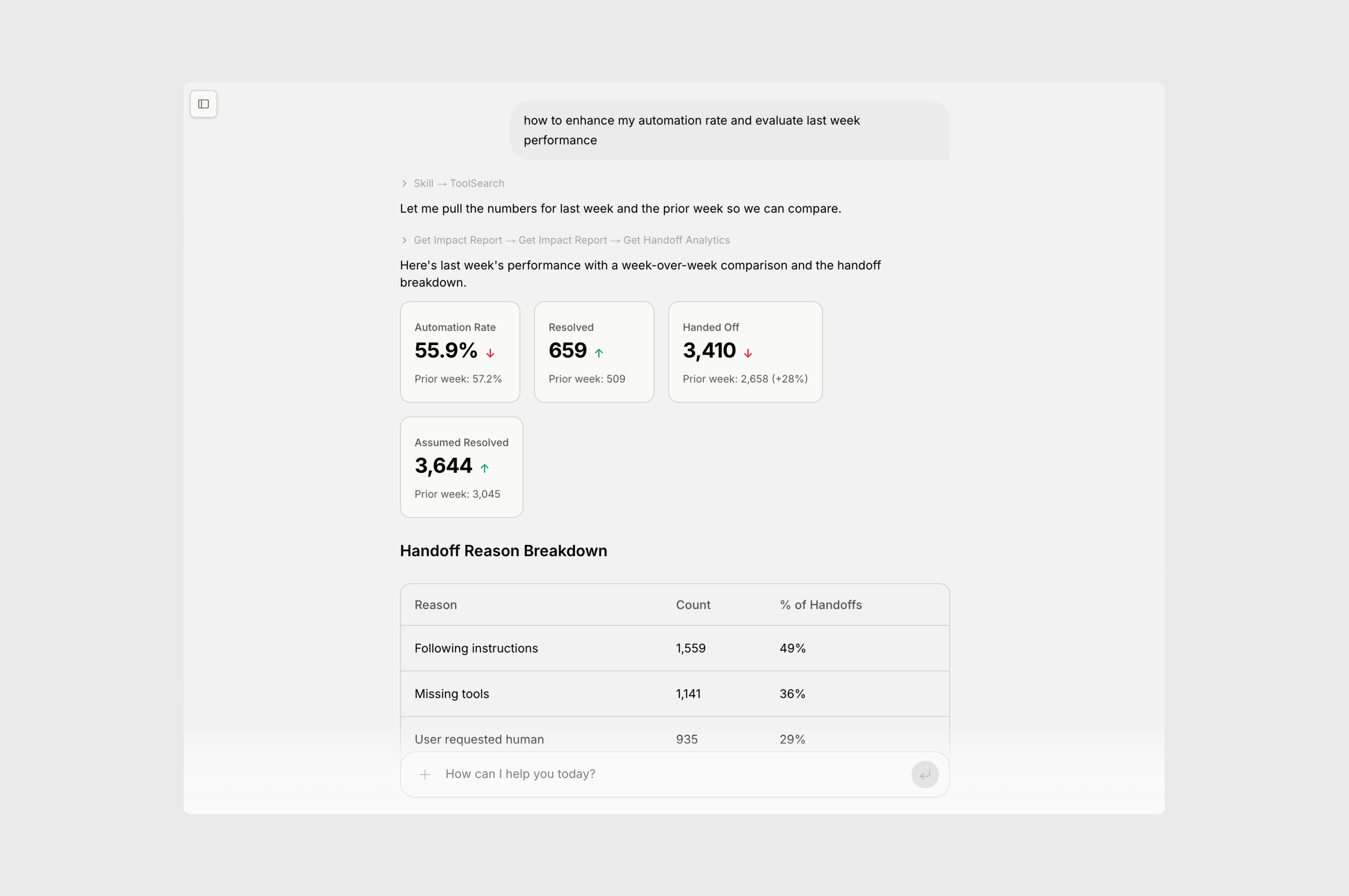
- Real-time automation and handoff analytics with trend detection
- Root cause analysis — instruction changes, knowledge gaps, integration errors
- Handoff reason breakdowns with specific session examples
- Proactive suggestions to improve resolution rates
Training expert — rewrite instructions in chat
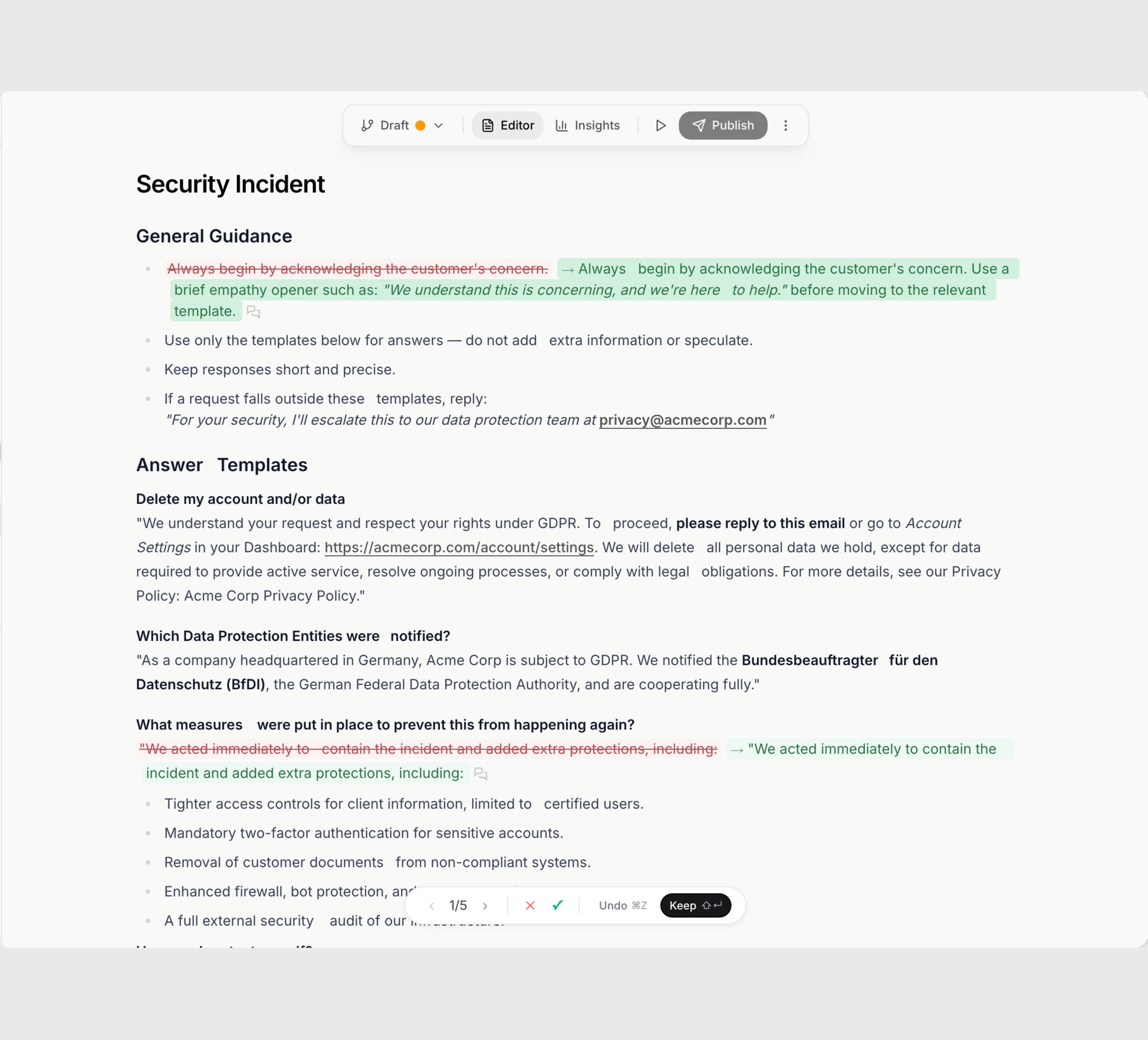
- Inline diff mode — see exactly what changed before accepting
- Create, edit, publish, and unpublish instructions from chat
- Manage instruction folders and visibility in bulk
- Full version history with one-click revert on every change
Session investigator — debug any conversation
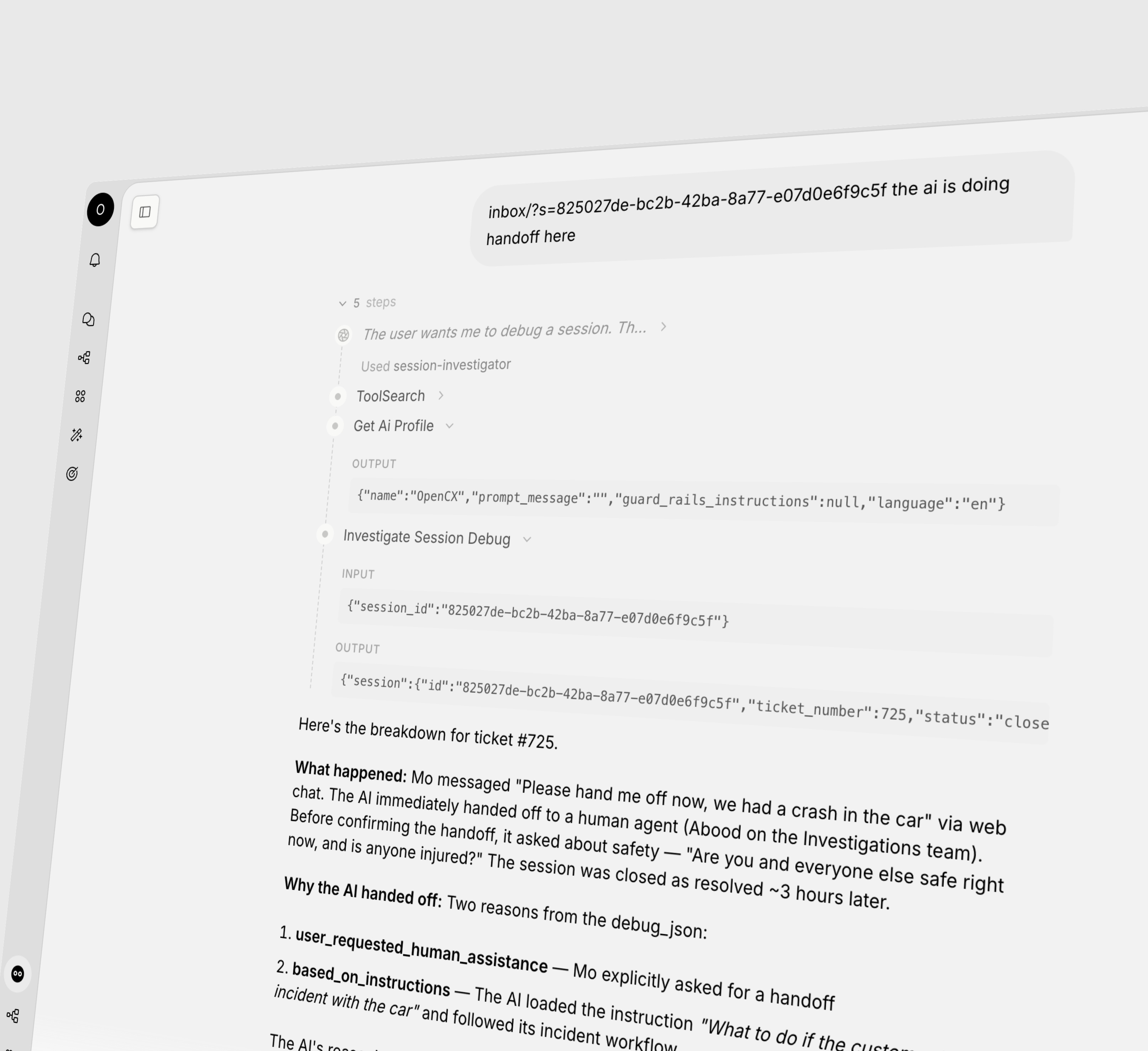
- Full reasoning traces with tool calls, citations, and handoff details
- Debug any conversation by ticket number or session ID
- See which knowledge base articles were loaded and ranked
- Identify platform bugs and instruction gaps proactively
AI Instructions — redesigned
The training center has been completely rebuilt. A new editor, a new way to organize, and now you can see exactly how each instruction performs — all in one place.New editor & sidebar
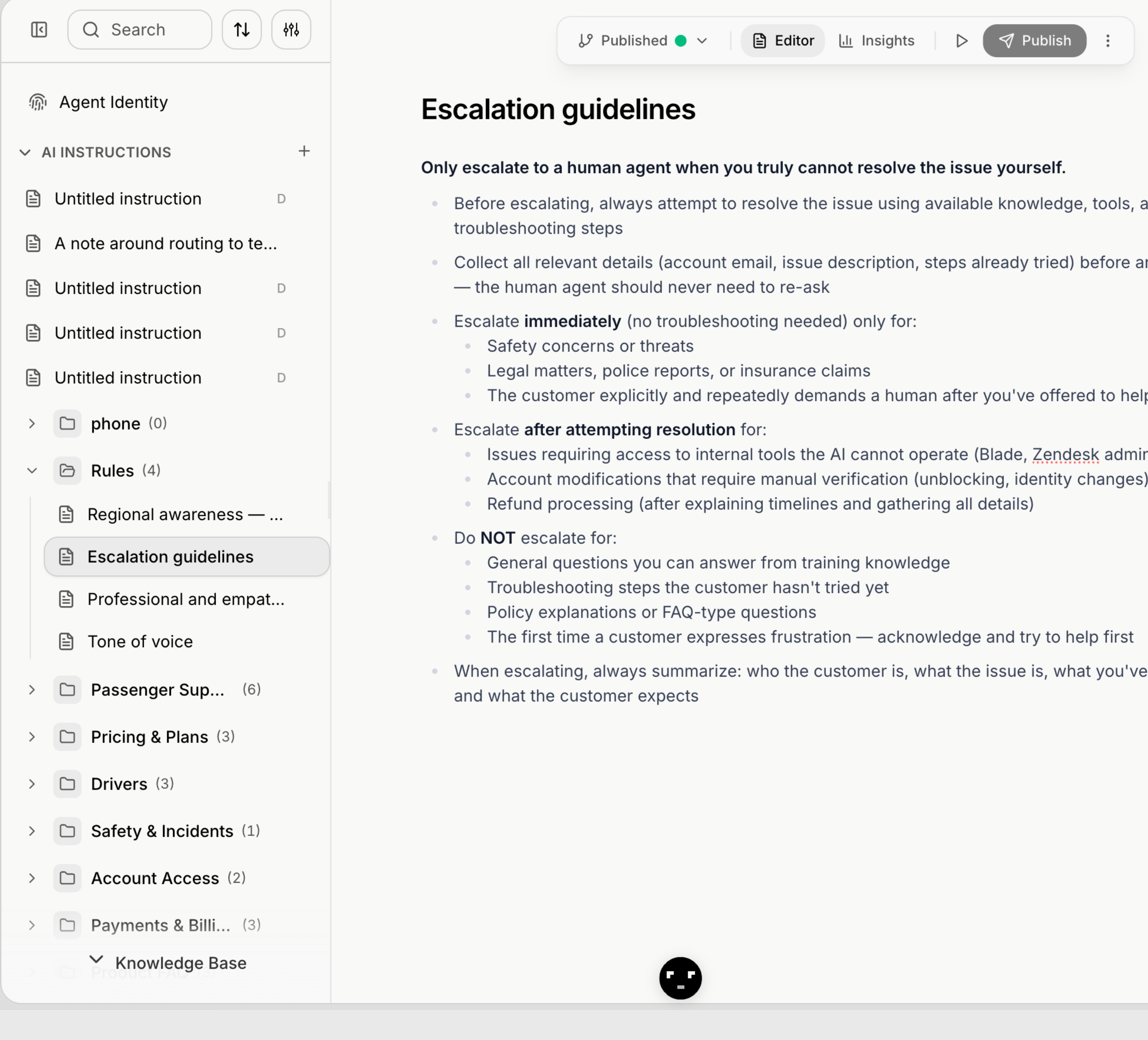
- Sidebar tree — organize instructions into folders with drag-and-drop
- Rich text editor with formatting, lists, and inline code
- Agent Identity moved here — configure name, tone, and personality alongside instructions
- Published/Draft status in the header with one-click publish
- Search across all instructions from the sidebar
Instruction-level insights
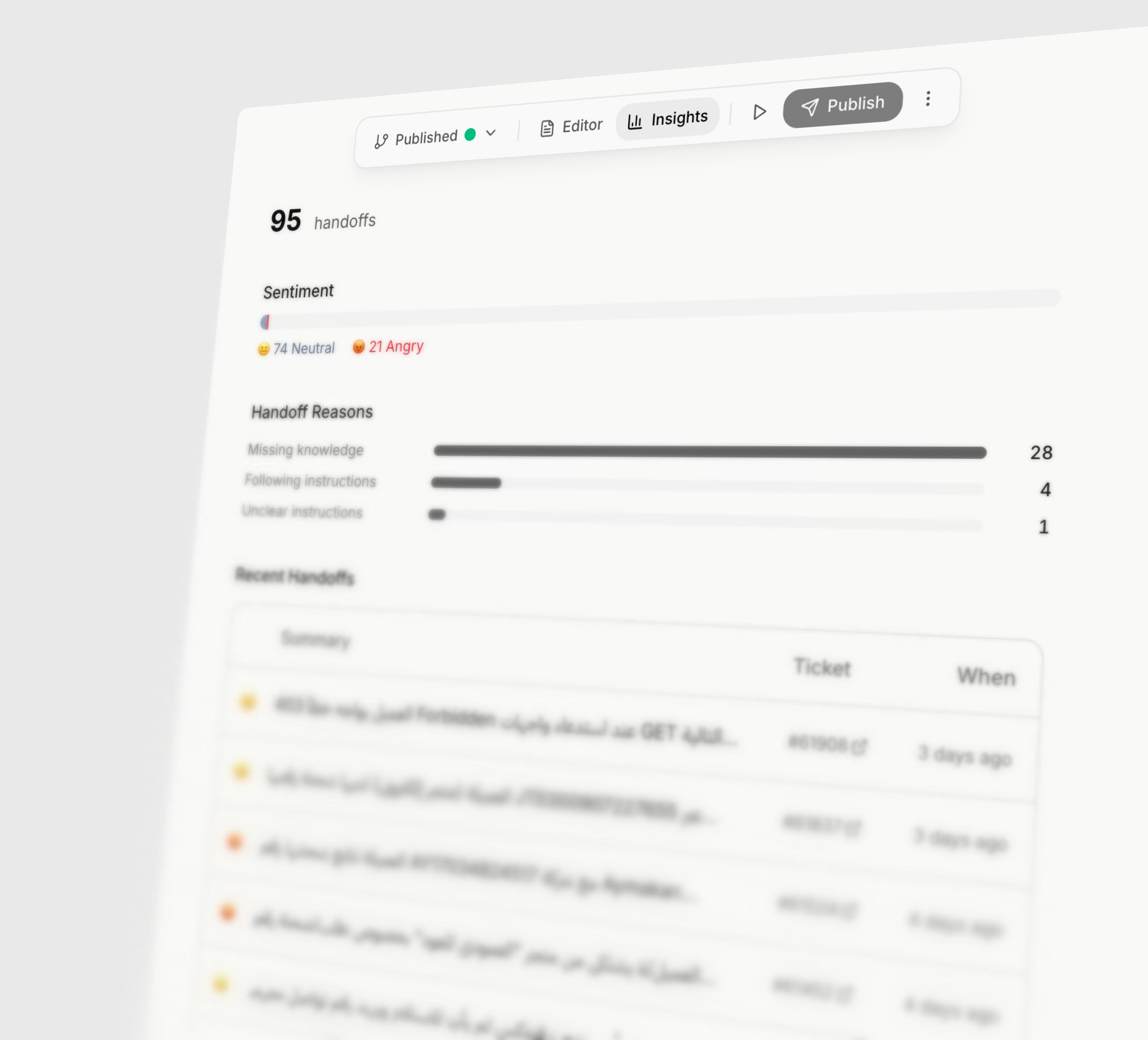
- Handoff count per instruction — see how often the AI escalates
- Customer sentiment breakdown — neutral vs angry
- Handoff reason analysis — missing knowledge, following instructions, unclear instructions
- Recent handoffs table with ticket links and timestamps
Sort instructions by handoff impact
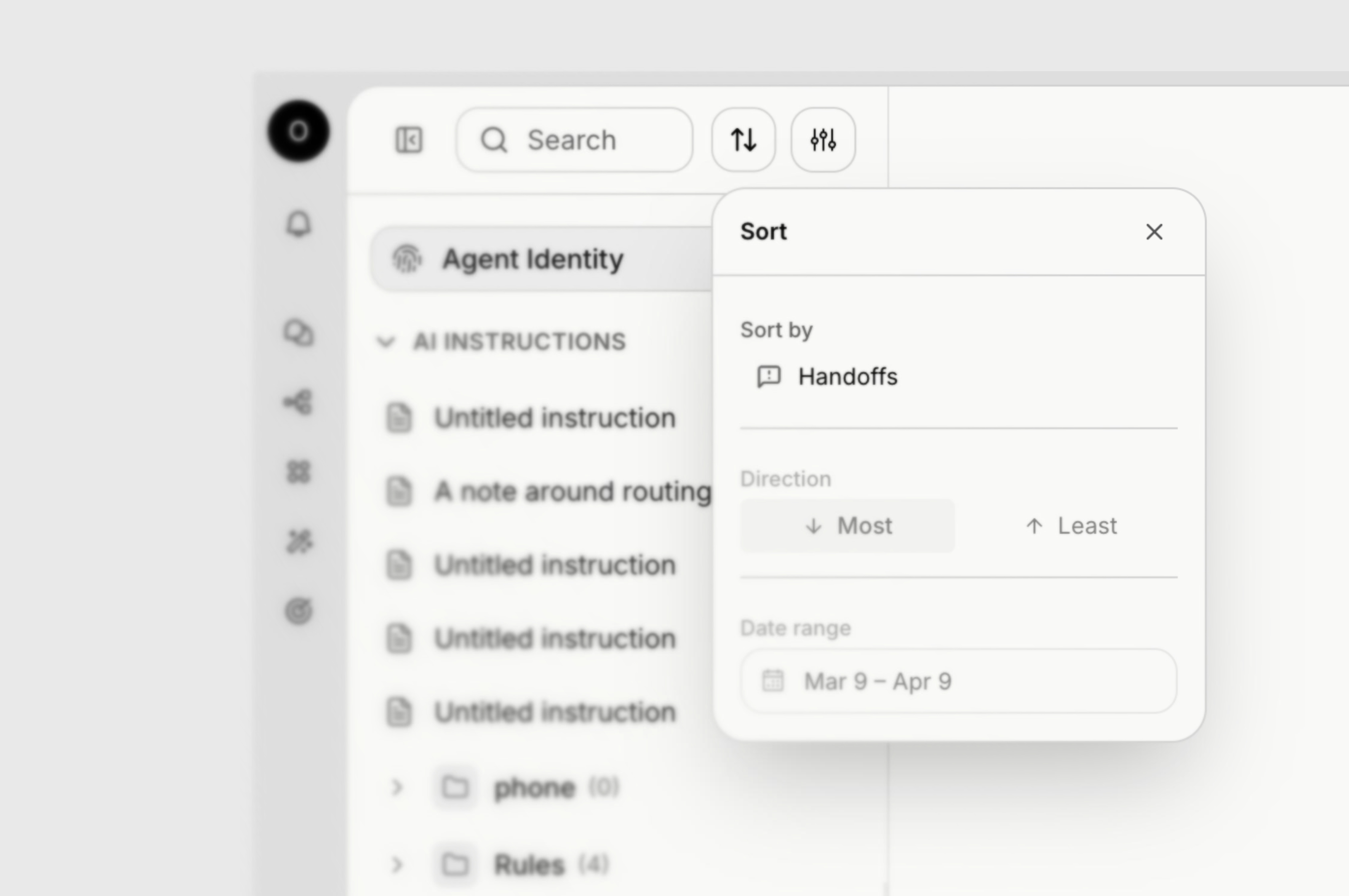
- Sort by handoffs — most or least, your choice
- Date range filter — see handoff trends for any period
- Instantly spot which instructions need rewriting
Version history & one-click revert
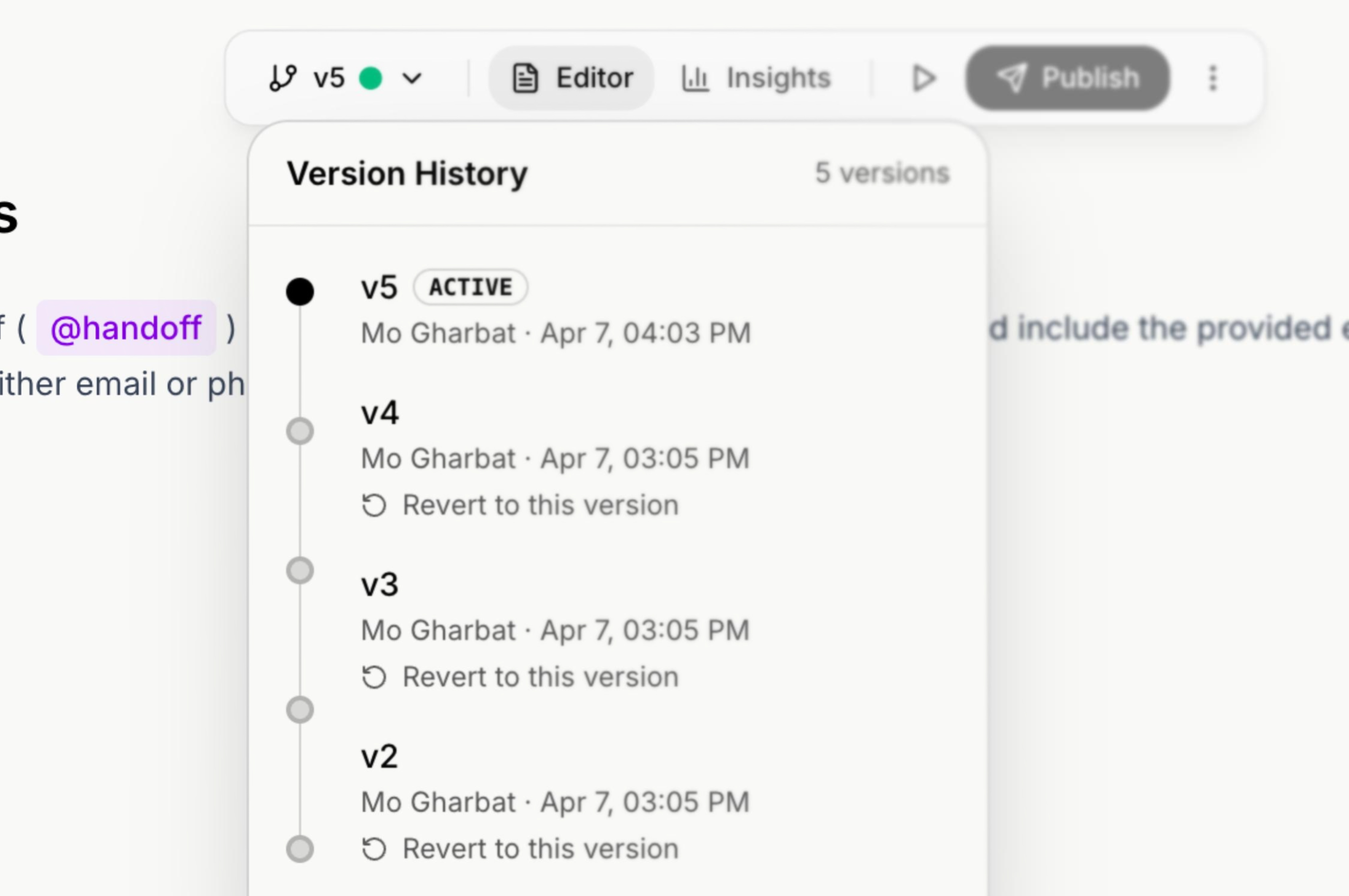
- Full version timeline — every publish creates a numbered version
- See who made each change and when
- One-click revert to any previous version
- Active version badge shows which version is live
Bulk folder actions
Manage AI instructions at scale. Change visibility, publish, or unpublish entire folders at once — no more editing instructions one by one.- Bulk publish and unpublish all instructions in a folder
- Change visibility of an entire folder at once
- Unpublish individual instruction documents
Action segment filters, workflow code steps & translation glossary
Restrict AI actions to specific contact segments, write richer automations with await and fetch in code steps, and control session translations with a custom glossary.Phone agents run workflows